



Attackers Abuse Faronics Deploy to Install ScreenConnect on Victim Computers
Threat actors are abusing the legitimate Faronics Deploy endpoint management platform to gain remote administrative access to organizations and install ConnectWise ScreenConnect on compromised computers.
During activity observed between July 21 and August 20, Faronics-themed phishing emails reached more than 457 endpoints. The messages were disguised as invoices, tax documents, and other business-related files.
Faronics Deploy is a cloud-based endpoint management platform that enables IT administrators to register and manage computers remotely, deploy software, and execute scripts across connected devices.
Phishing emails deliver legitimate Faronics software
Researchers at managed detection and response company Huntress said the malicious emails contain links designed to profile potential victims before redirecting them to websites hosting deceptive download pages.
The websites use anti-analysis techniques to conceal the malicious activity. For example, when accessed from a security researcher’s analytics environment, the page may display an error message instead of the phishing content.
Potential victims are instead prompted to download and run a legitimate, digitally signed Faronics Deploy installer. The installer is disguised as an Adobe document, Adobe Reader application, or browser plugin update.
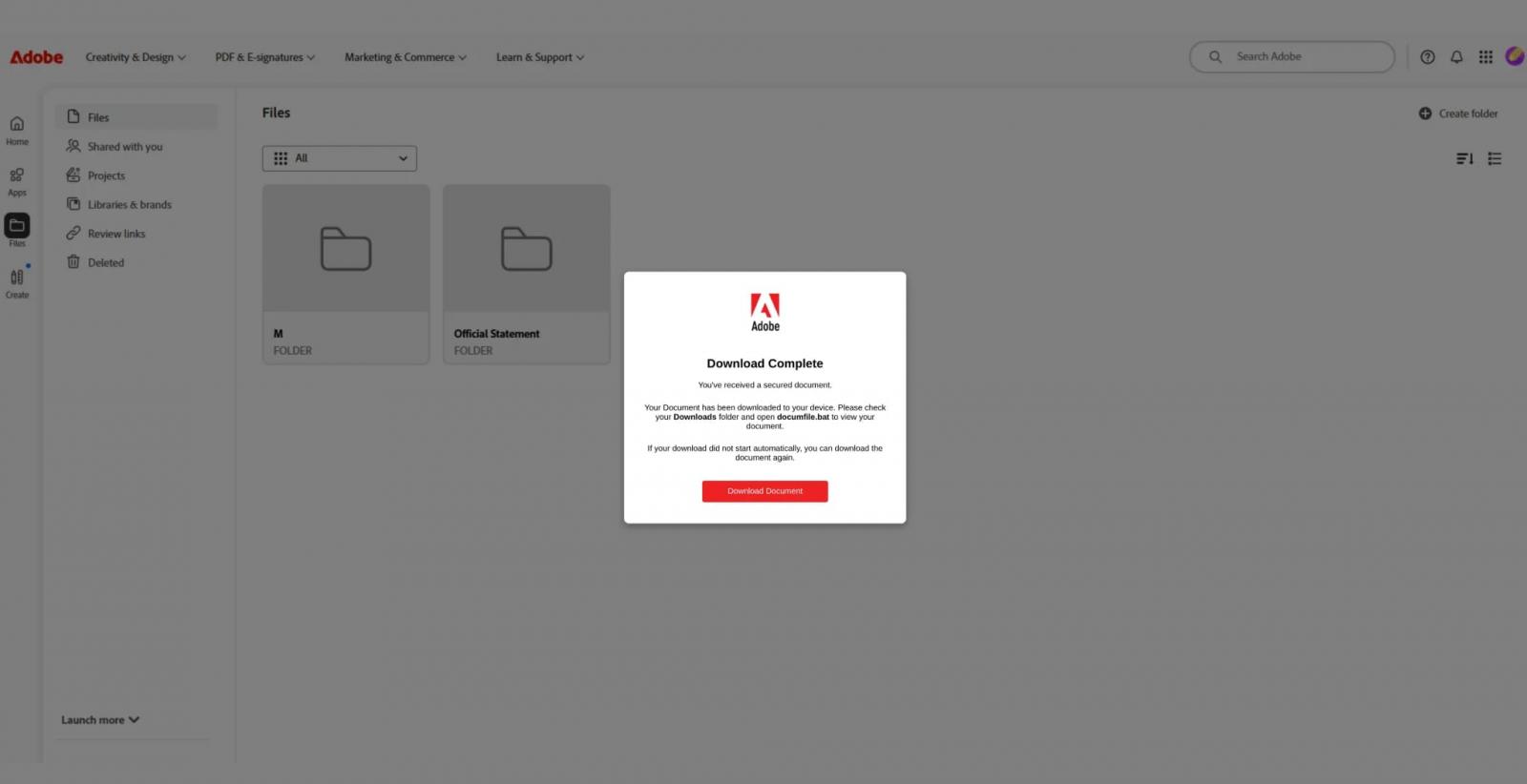
Source: Huntress
When a victim launches the Faronics installer, which is often named Adobe.exe, the computer is enrolled in an attacker-controlled Faronics Deploy environment.
Faronics Deploy used to deploy ScreenConnect
After gaining control of the deployment environment, attackers use Faronics Deploy’s remote management features to execute PowerShell scripts on registered computers without additional user interaction.
The scripts download further tools from attacker-controlled servers or external services such as GitHub. The attack chain ultimately installs ConnectWise ScreenConnect, a legitimate remote access and support application.
“Delivery methods vary depending on the script; observed examples use curl or mshta to retrieve additional content, while others call msiexec to install payloads hosted on attacker-controlled infrastructure,” Huntress said.
“These scripts are then used to install ScreenConnect, establishing additional remote access mechanisms on compromised endpoints.”
Installing ScreenConnect gives attackers a separate remote access channel that operates independently of Faronics Deploy. This enables interactive control of compromised computers and provides redundancy if a malicious Faronics deployment is discovered, disabled, or removed by defenders.
Faronics responds to the abuse
Huntress notified Faronics about the activity on August 5. The vendor confirmed the malicious use of its platform and implemented additional fraud-prevention measures to disrupt the attacks.
Faronics also contacted affected organizations and notified them of the potential compromise.
According to Huntress, malicious activity declined significantly after August 21, suggesting that the vendor’s response helped limit the campaign.
How to detect Faronics Deploy compromise
Huntress recommends that administrators review the ScriptRunner.log file stored in C:\ProgramData\Faronics\Logs\. The log may reveal the name of a remotely executed script or identify a URL used to download additional payloads.
Security teams should also investigate the ck parameter in Faronics configuration requests. This parameter identifies related customer deployments and may help organizations locate compromised endpoints or malicious accounts.
Administrators should additionally check for ScreenConnect installations in unusual directories or on computers where the software is not normally deployed. Any unexpected Faronics Deploy enrollment, PowerShell activity, or ScreenConnect installation should be investigated as a potential security incident.

The overall prevention score can hide what happens after the initial access. If an attacker uses valid credentials, your defenses drop dramatically.
The Blue Report 2026 measures defense techniques by technology across 338 million simulations run in customer production environments.
Source: www.bleepingcomputer.com