


Brave Browser Adds Email Aliases to Improve User Privacy
The latest version of the Brave browser, version 1.94, introduces email aliases that allow users to create unique, single-use email addresses when signing up for websites and online services.
Using a Brave email alias keeps your real email address hidden from the website while forwarding messages from that service to your primary inbox.
Brave already uses data isolation to prevent websites from identifying users through cookie and cache correlation. However, websites can still store a user’s email address on their servers, creating a privacy gap that the new alias feature is designed to address.
Brave says email aliases can help prevent cross-site identity matching, reduce spam, and limit the impact of phishing attacks linked to data breaches. If an online service is compromised, attackers may be less likely to obtain the user’s real email address.
“If the website you signed up for is hacked, your information could be compromised and passed on to data brokers, or worse,” Brave explains.
“Your email address can then spread far beyond the company you originally trusted and appear in phishing campaigns for years to come.”
To create and use a Brave email alias, users must register for a free Brave Account and add their primary email address. Brave uses that address to forward messages received through the aliases. The feature is separate from a Brave Premium Account.
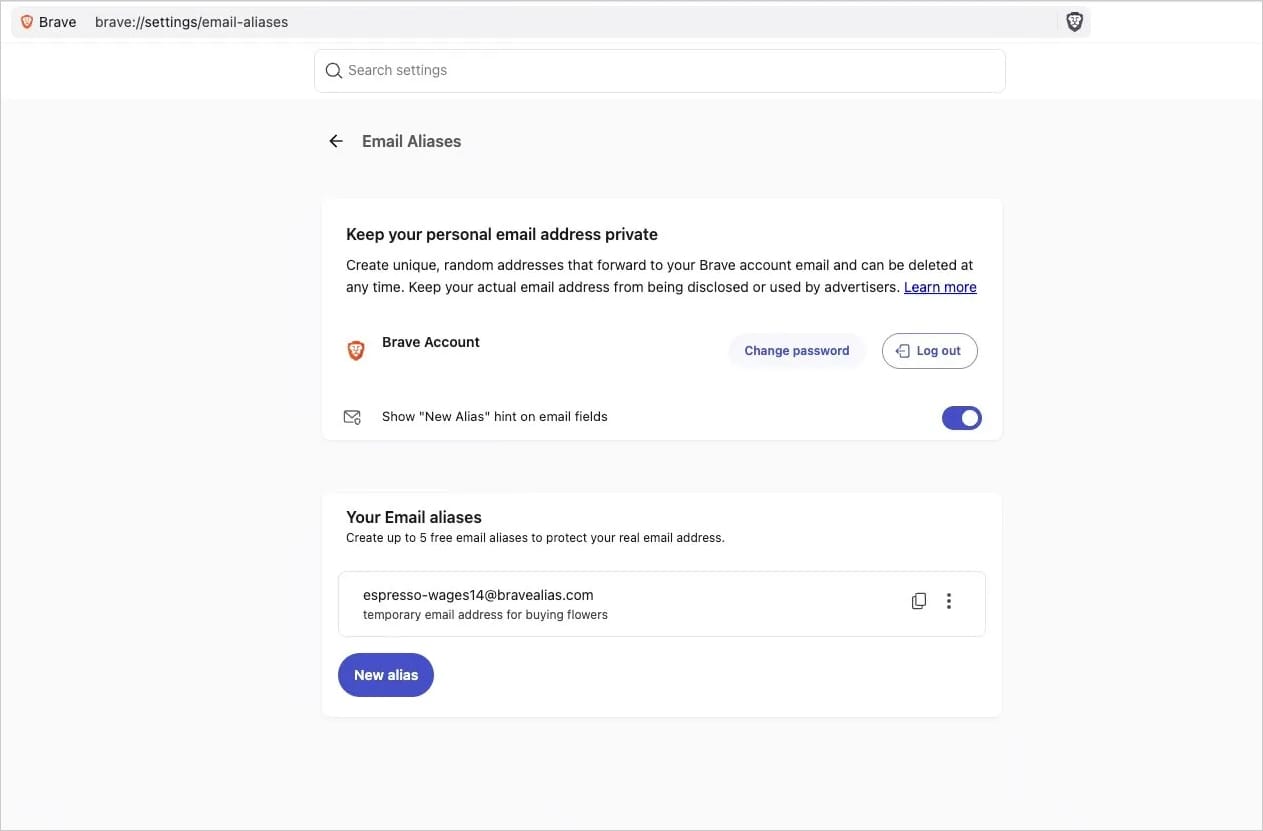
Source: Brave
In a separate announcement, Brave says its account system uses OPAQUE, a password-authenticated key exchange standardized as RFC 9807. This allows the company to authenticate users without transmitting passwords or password hashes to Brave’s servers.
According to Brave, this approach reduces the risk of password logging, memory-scraping attacks, and bulk cracking of leaked password databases. However, it does not protect users from phishing, reused passwords, or weak passwords.
Brave’s new email alias system currently allows users to create up to five aliases for free. The company plans to introduce a paid premium version that will remove this limit.
To protect user privacy during email forwarding, Brave stores the primary email address and generated aliases in encrypted form. Forwarded messages are not manually inspected and are only processed by automatic spam and malware filters.
Brave says forwarded messages are deleted from its servers within seconds of delivery. Notes associated with aliases remain stored locally or are protected with end-to-end encryption when synchronized through Brave Sync.
The company also warned that users testing the email alias feature may initially find forwarded messages in their spam folders while Brave builds its reputation as an email provider.

The overall prevention score can hide what happens after the initial access. If an attacker uses valid credentials, your defenses drop sharply.
Blue Report 2026 measures defense techniques by technology across 338 million simulations run in customer production environments.
Source: www.bleepingcomputer.com