

Close Menu
HitechubHitechub
    What's Hot
    Science

    4,000-Year-Old Mysterious Wall Rewrites North Africa’s History

    Technology

    How AI Is Straining America’s Public Records System

    Technology

    Ukrainian Drone Strike Destroys Russia’s “Google” AI Data Center

    Important Pages:
    • About Us
    • Privacy Policy
    • Terms & Conditions
    Facebook X (Twitter) Instagram Pinterest
    Facebook X (Twitter) Instagram
    HitechubHitechub
    Friday, November 27
    • Shop
      • Fashion
        • Mens
        • Womens
        • Accessories
          • Handbags
          • Keychain
          • Masks
          • Money clicps
          • Neck Pillow
          • Rings
          • Towels
          • Wallets
        • Jewelry
        • Watches
        • T-shirts
        • Hawaiian shirts
        • Vests
        • Swim trunks
        • Swimsuits
      • Fun
        • Magic cubes
        • Magnifiers
        • Misc
        • Photo books
        • Puzzles
        • Toys
      • Home
        • Cleaning/Care
        • Mailbox covers
        • Mugs
        • Pot Holders
        • Spoon
      • Office and Electronics
        • Chairs
        • Office Supplies
        • IPad cases
        • Laptop stickers
        • Mouse pads
        • Notebooks
        • Pencil bags
        • Pens
        • Phone cases
      • Personalized
      • Pets
      • Sports
        • Cycling
          • Balaclava Mask
          • Bike Bell
          • Bike Computer
          • Bike Fender
          • Bike Grips
          • Bike Kickstand
          • Bike Light
          • Bike Locks
          • Bike Mitts
          • Bike Pumps
          • Bike Repair Stand
          • Bike Seat
          • Bike Trainer
          • Bike Wheels
          • BIKES
            • Folding Bikes
            • Road Bikes
          • Carbon Fiber Bike Products
          • Cycling Mask
          • Kid’ Bike Helmets
          • Inner Tube
          • Motorcycle Bag
          • Nylon Pedals
          • Adult Helmets
          • Photochromic Sunglasses
          • Soft Coolers
          • Suction Cup Bike Rack
          • Tool accessories
          • Winter Cloth
          • Heart Rate Monitor
        • Outdoors/Camping
          • Outdoor Bags
        • Sweatband
    • Technology
      1. AI
      2. Gadgets
      3. View All

      This is the most popular CEO in the world

      Sectors in which “Chat-GPT” is most often used

      Artificial intelligence has begun to “swallow” professions

      The unusual robot conductor of a concert in Seoul

      Here’s how you can tell if your phone is being tapped

      PlayStation 5 becomes a completely silent console and gets more space

      This is the first phone that can be used to park a car

      Best Gaming Laptops 2023: Powerful Portables for PC Games

      How AI May Transform the Role of Theoretical Physicists

      SAP Confirms Security Incident Following Suspicious GitHub Activity

      Iranian Hacker Group Discovers New Tactics to Launch Widespread Cyberattacks

      Volvo’s Big Battery Powers the New 2028 Plug-In Hybrid

    • Science
      1. Space
      2. Wheels
      3. View All

      Space Perspective: A Journey to the Edge of Space

      5 Fascinating Facts About Space

      Space Exploration: Unveiling the Wonders of the Universe

      Toyota wants to make a new generation battery with a range of up to 1,200 km

      Meet Toyota’s lunar “baby” that could make exploring the Moon easier

      What does a night drive look like with one of the most beautiful cars in the world: the Rolls-Royce Ghost

      Why the Next U.S. Congress Should Ban Self-Improving AI Development

      Natural Floating Island Installed in Glasgow Park as a Lasting Games Legacy Project

      Extremophile Transgene Enhances Drought Resistance and Yield in Cereal Crops

      Black Friday 2026 Telescope Deals: Smart Telescopes and Binoculars

    HitechubHitechub
    Home » This App Turns Your Laptop Screen Into a Paper-Like Display
    Technology

    This App Turns Your Laptop Screen Into a Paper-Like Display

    Share Facebook Twitter Pinterest WhatsApp
    Share
    Facebook Twitter LinkedIn Pinterest WhatsApp

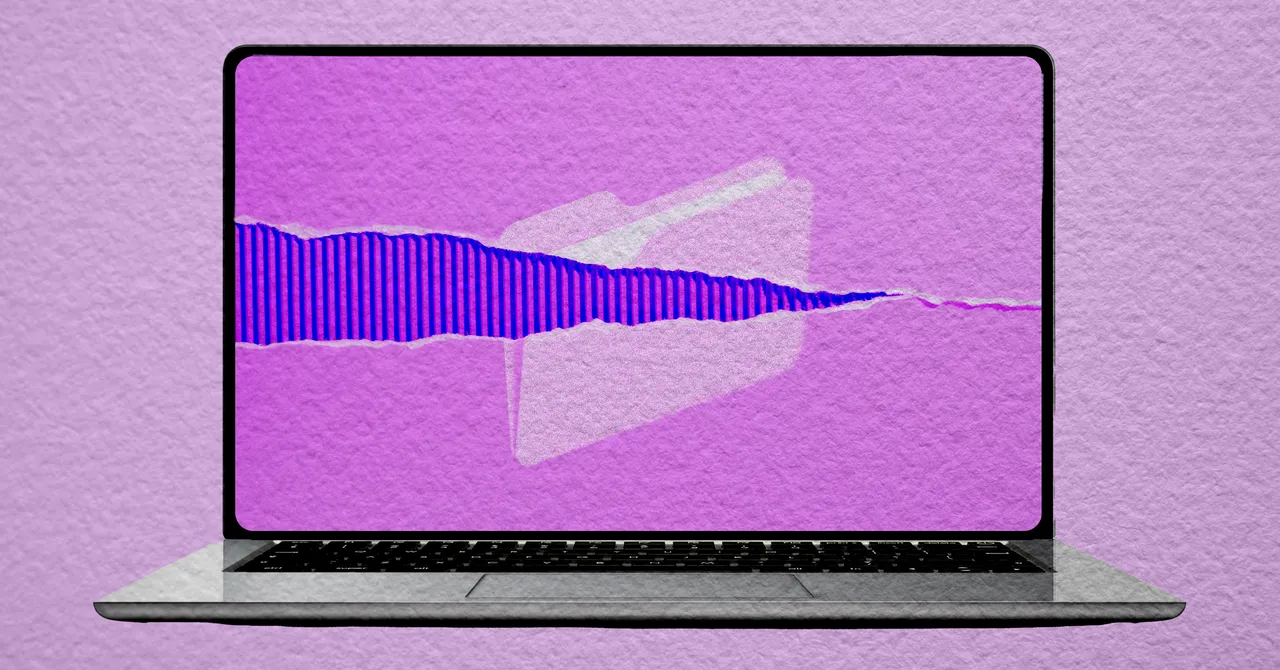
    Paperman Makes Your Computer Screen Look and Feel More Like Paper

    That’s what technology is all about. Screens can feel sterile when every device presents information on the same glossy surface. Paperman offers a simple change of pace: a paper-texture overlay that adds warmth and character to your computer screen.

    Developed by Finnish studio DoublOne, Paperman makes everything on your display look as though it has been printed on paper. The app adds a customizable texture overlay to whatever appears on your screen. I’m typing this on a MacBook, and the entire display looks like fancy stationery.

    How Paperman’s paper-texture screen filter works

    Fans of old video games may be familiar with CRT filters, which recreate the look of vintage convex displays. Paperman takes a similar approach, but imitates paper rather than a retro television. Open the app, select a paper type, and the texture covers your display.

    The goal is to help users focus on their work and make the screen more comfortable to look at. The developers have collected a substantial amount of academic research on the subject. Paperman’s research page features studies suggesting that matte surfaces and paper textures may help with visual fatigue. Whether a virtual matte or paper layer can provide the same benefit on a screen remains an open question.

    Provided by Justin Potts

    Can a paper texture make screens easier to read?

    Zoe Kilpelty, one half of the two-person DoublOne studio that developed the app, says she isn’t sure. “A lot of that research looks at why reading on physical paper is so comforting,” she told WIRED. “That texture disperses harsh light and softens sharp edges. Modern displays are the opposite: very uniform, razor-sharp grids of backlight.” Paperman’s filters are designed to disrupt that uniformity.

    The app offers several textures, ranging from classic matte to tanned parchment. My favorite is the recommended option, Whisper Weave. You can also adjust the strength of the effect, and it’s worth experimenting with that setting.

    Best uses and customization options

    Paperman works best when reading, writing, or doing other text-focused work. Keep in mind that the texture applies to everything on your screen, including images, videos, and some games. You can configure the app to disable the effect when specific applications are open, which is useful for graphic design, photo viewing, and similar tasks.

    If you use multiple monitors, Paperman can apply the texture effect to one display while leaving another unchanged. Customizable keyboard shortcuts also let you turn the effect on and off instantly. Since you’ll need a quick way to disable the overlay, having several control options is a welcome touch.

    You can learn more about the app at Paperman.

    Source: www.wired.com

    Share. Facebook Twitter Pinterest LinkedIn WhatsApp
    Previous ArticleFirst Stellar Stream Crossing the Milky Way Could Reveal Dark Matter
    Next Article Regenerative Medicine Market Competition Intensifies Amid Rapid Industry Growth

    Related Posts

    Technology

    How AI May Transform the Role of Theoretical Physicists

    Technology

    SAP Confirms Security Incident Following Suspicious GitHub Activity

    Technology

    Iranian Hacker Group Discovers New Tactics to Launch Widespread Cyberattacks

    Technology

    Volvo’s Big Battery Powers the New 2028 Plug-In Hybrid

    Technology

    Nvidia Scandal: How Jensen Huang and Asia’s Big AI Bet Exposed Major Risks

    Technology

    Lead Azide Explosion in Iowa Raises Concerns About Potential Health Risks

    Technology

    SYS010 Malware Exploits Browser Management Systems to Spy on Gmail and Outlook Accounts

    Technology

    Fake Paid Expert Interviews Impersonate Brands and Steal Google Login Credentials

    Add A Comment
    Leave A Reply Cancel Reply

    Stay In Touch
    • Facebook
    • Twitter
    • Instagram
    • Pinterest
    Top Picks
    Science

    Ultrafast X-Ray Imaging Reveals Chemical Reactions Unfolding Atom by Atom

    Scientists have captured how energy moves through a molecule immediately after it absorbs light, revealing…

    Army Destroys Three Drones Using a 20-Kilowatt Laser Weapon

    CISA Orders Federal Agencies to Patch Exploited Zyxel Vulnerability Linked to Data Theft

    How to Build the Perfect Solar Eclipse Kit for Every Budget

    Hibernation in Mice Causes Significant Loss of Synapses

    Most Popular
    Technology

    OpenAI and Anthropic Outage Today: Companies Have Not Explained the Cause

    Science

    Rare Bog Grass Moss Species Found in Gwynedd Nature Reserve

    Categories
    • AI (9)
    • Gadgets (6)
    • Science (3,612)
    • Space (3)
    • Technology (3,043)
    • Wheels (3)
    Our Picks
    Technology

    FIFA Lacks Strategy for Combatting Climate Change: No Action Plan in Sight

    Science

    How to View and Photograph the Partial Lunar Eclipse on August 27–28

    © 2026 Hitechub.
    • Home
    • About Us
    • Privacy Policy
    • Terms & Conditions

    Type above and press Enter to search. Press Esc to cancel.

    GDPR Cookie Banner

    We are using cookies to give you the best experience on our website.

    You can find out more about which cookies we are using or switch them off in .

    Ad Blocker Enabled!
    Ad Blocker Enabled!
    Our website is made possible by displaying online advertisements to our visitors. Please support us by disabling your Ad Blocker.