


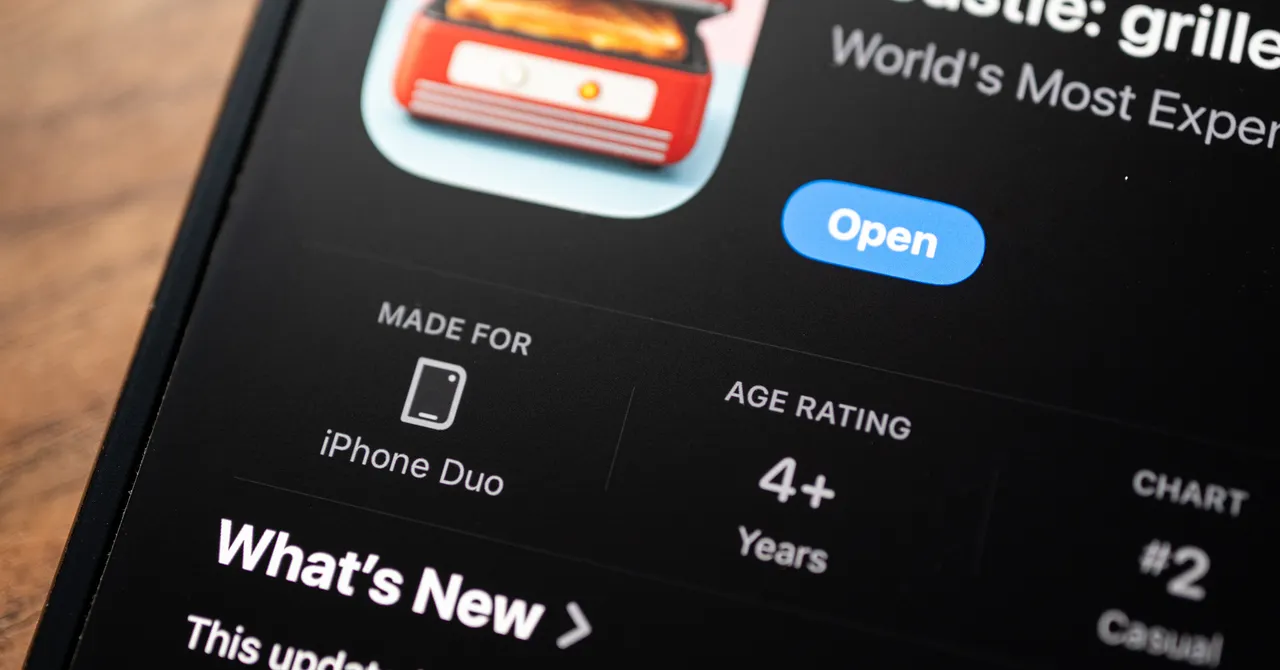
Apple’s first foldable phone, the iPhone Duo, is prompting developers to experiment with apps that use its hinge, dual displays, 7.6-inch inner screen and tabletop and tent modes. Although some of the apps are not new, the foldable form factor gives them a different feel. The App Store will also identify apps that make full use of the larger display with a “Made for iPhone Duo” badge. Here are six of the nine apps highlighted for the new handset.
The author, who has reviewed nearly every flip phone over the past decade, says they have never received so many pitches from independent developers promoting apps for a new foldable phone.
Battle Fleet Duo
Board games are a natural fit for the iPhone Duo, and Battle Fleet Duo is a strong example. The phone’s 7.6-inch screen provides a large playing area, while tabletop mode places your ships on the lower display and the enemy fleet on the upper display.
The arrangement is particularly useful when playing with someone else who has an iPhone Duo. Like the classic game Battleship, it supports local multiplayer, including games played by opponents sitting across from each other. Two battles are free each day; unlimited play costs $5 as a one-time purchase and removes ads and subscriptions.
Flipcorder: Retro Video Camera

Flipcorder turns the iPhone Duo into a retro-style video camera. When the app opens, the outer display shows a “closed lens.” Open the phone, “uncap” the lens and begin recording.
The interface is designed to look old-fashioned, and recordings can use a VHS-style filter or a MiniDV filter. Clips are cataloged by day, allowing users to browse their “tapes” and watch as much as 30 minutes of footage stitched into a single clip.
While recording, another person can see a preview of the video on the outer display. This dual-display behavior is currently limited to the camera app. For example, you cannot use the outer display as a book cover while reading a book, as shown in this example.
RectoVerso: Flashcards

RectoVerso is a $13 flashcard app designed to reproduce the physical experience of flipping through cards. Users can import their own text, including class notes and PDFs, and Apple Intelligence will automatically generate flashcards based on the material. The app can also import decks from Anki or let users create their own.
The foldable display is most useful during study sessions. If you do not know an answer, open the iPhone Duo slightly to reveal it gradually, then open the phone completely to see the full answer. As the source puts it: “Oh, I totally understood that.”
Piano Fold

Piano Fold is a rhythm game that uses the iPhone Duo’s hinge. Tilt the phone to a 90-degree angle and place the block inside the fold. As the block reaches the center crease, tap the corresponding column. Accurate timing is essential unless you want to hear Bach played badly in real time.
The game includes 40 levels across eight chapters and rates each performance out of three stars. Players can retry levels as often as they like. The first two chapters are free, and one song can also be played free each day. Full access costs $5, with no ads or subscriptions.
Toastie

Toastie is a $3 game in which players assemble a sandwich on the iPhone Duo’s inner display. Each recipe has specific steps to follow. Once the sandwich is complete, the player closes the phone for several seconds to “grill” it, regardless of what the recipe requires, then opens the device to check the result.
The author showed the app to their wife, who uses a Pixel phone. She said it might be the first time she had wanted an iPhone. The game includes 10 recipes, which players may be able to complete quickly, but it offers the novelty of using what the source calls “the world’s most expensive toaster.”
Portal

Portal combines relaxing soundscapes with atmospheric visuals. Its audio options include bubbling volcanic lava and waves crashing on a beach. The scenes can appear across the Duo’s 7.6-inch inner display, in tabletop mode or on the outer screen in tent mode.
The app also offers calming breathing exercises and a concentration timer. Its library includes more than 100 landscapes, ranging from Iceland’s black beaches to the forests of England. Portal is free, but the free version provides access to three portals that are updated monthly. Full access costs $3 per month, $30 per year or $100 for a lifetime membership.
Source: www.wired.com