


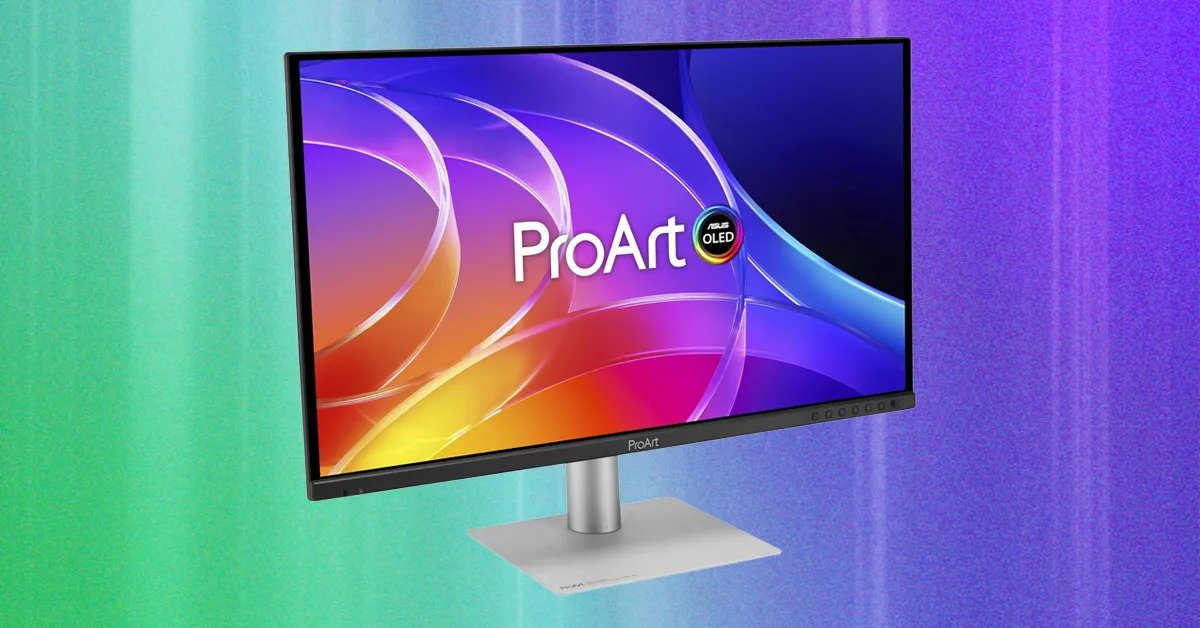
The Asus ProArt PA279CDV has a somewhat awkward design. Its side bezels are noticeably thick, while the top and bottom bezels are different sizes, creating an uneven appearance. Fortunately, the monitor stand offers excellent flexibility. You can swivel, tilt, rotate the display into portrait orientation, and adjust its height by up to 5 inches. Basic built-in cable management, including downward-facing cable ports, helps keep your workspace organized. The stand’s flat base also takes up minimal desk space.
The Asus ProArt PA279CDV includes two USB-C ports, each designed for a different function. The first is a USB-C 3.2 port with DisplayPort Alt Mode and up to 96 watts of power delivery, allowing you to charge and connect a compatible laptop with a single cable. The second USB-C 3.2 port supports the monitor’s KVM switch, letting you connect two computers and switch between them seamlessly. Asus labels both ports clearly, making it easy to choose the correct connection.
Additional connectivity includes two USB-A ports for peripherals, a headphone jack, HDMI 2.1, DisplayPort 1.4, and a DisplayPort output for daisy-chaining multiple monitors. This is an impressive selection of ports and makes the Asus ProArt PA279CDV well suited to use as a professional workstation monitor.
Photo: Luke Larsen

Photo: Luke Larsen
The Asus ProArt PA279CDV places its on-screen display controls on the right side of the front panel. While a single joystick would provide a simpler experience, this monitor follows the ProArt tradition of combining a joystick with five control buttons and a dedicated power button. After you become familiar with the layout, these controls make it quick to change inputs, adjust brightness, and navigate the monitor’s settings.
The on-screen menu offers a wide range of options, including multiple color modes and detailed image-quality adjustments. Asus also provides a DisplayWidget application for Windows 11 and macOS, giving you another way to manage the monitor’s settings directly from your computer.
The monitor includes built-in speakers, but their audio quality is underwhelming. They are adequate for system sounds and basic notifications, but they are not ideal for watching movies or enjoying other entertainment. If strong built-in audio is important to you, the Dell 32 Plus QD-OLED is a better alternative thanks to its significantly better speakers.
OLED HDR Performance: Brightness Matters
Brightness is one of the most important factors when evaluating an OLED monitor, particularly for HDR content. OLED panels can switch individual pixels off completely, producing the deep, accurate blacks that make OLED displays so appealing. However, an OLED monitor still needs sufficient brightness to deliver convincing HDR highlights and strong overall contrast.
In our HDR testing, the Asus ProArt PA279CDV reached 1,038 nits in a 1 percent window and 917 nits in a 4 percent window. Those are excellent results, delivering brighter highlights and greater visual detail in HDR movies and games than a dimmer display can provide. Even so, the results fall short of the Apple Studio Display XDR, which reached 1,905 nits in a 25 percent window during testing.
That comparison is not entirely fair, since Apple’s display costs more than $3,000 and targets a different premium market. The figures are included to show how the Asus ProArt PA279CDV compares with the wider HDR monitor landscape.
Source: www.wired.com