


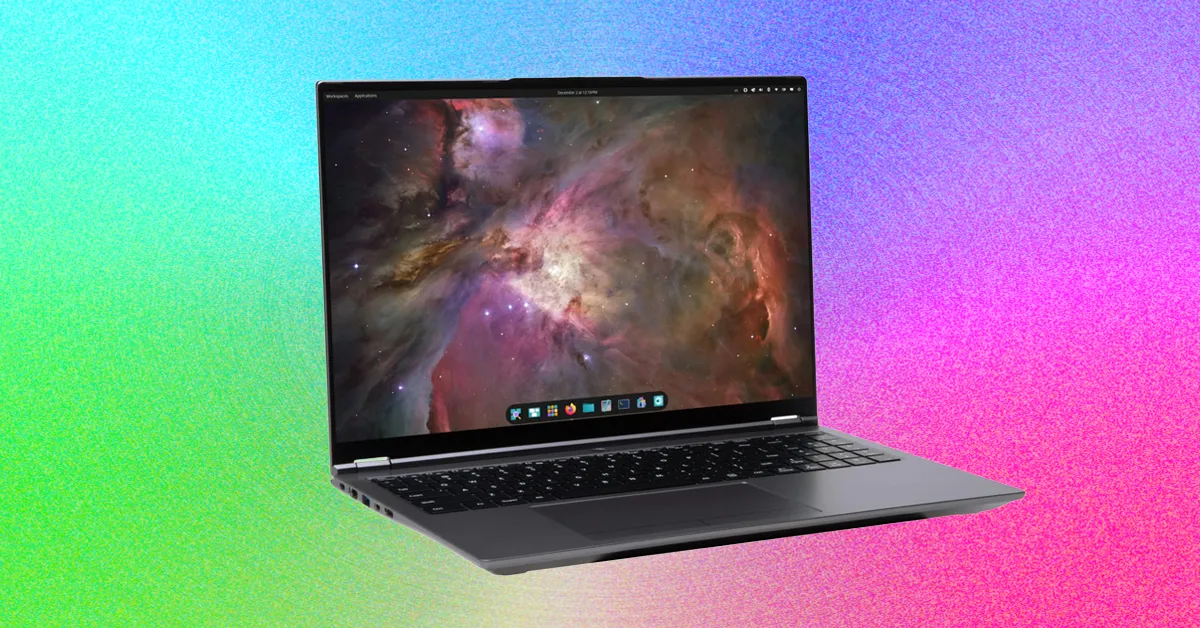
System76 Pangolin Pro Review: A Powerful, Repairable Linux Laptop
The System76 Pangolin Pro offers plenty of performance for everyday work, creative tasks and demanding development projects. It also stands out for its user-serviceable design, large trackpad and excellent Pop!_OS integration. However, a few limitations—including the webcam and trackpad—are worth considering before you buy.
Large glass trackpad has a minor drawback
The Pangolin Pro’s very large glass trackpad is excellent for tasks such as photo editing. However, my palms occasionally clicked the buttons at the bottom of the trackpad during breaks from typing. It did not happen often, but I learned to be more careful about where I placed my palms.
1080p webcam and firmware limitations
The 2 MP 1080p webcam works well for casual video calls with family and friends. If you regularly attend professional Zoom meetings, however, you may want to use an external webcam.
Open-source purists should also know that the Pangolin Pro does not use open firmware. Coreboot does not yet support AMD Ryzen chips—or AMD does not support Coreboot, depending on how you view the situation.
Easy upgrades and repairs
The Pangolin Pro is easy to open for component replacement and repair. Nine screws secure the bottom of the chassis, and none are hidden beneath rubber feet or other frustrating design choices. After removing the screws, the bottom panel lifts off to provide access to the SSD slot, RAM, Wi-Fi card and other internal components.
That means future upgrades should be straightforward. For example, if you decide to add more memory when RAM prices come down, you should have no trouble upgrading the laptop yourself.
Pop!_OS Linux integration
System76’s Pop!_OS Linux has long provided one of the best Linux desktop experiences available. Cosmic Desktop and the accompanying System76 applications deliver the kind of stability and convenience that make Linux practical for everyday use without constantly reminding you that you are using Linux.
As a long-time Linux user, I may be biased, but I find Linux more comfortable to use than macOS or Windows. You rarely feel as if you are fighting the operating system to work the way you want. My typical workflow involves a terminal and web browser for writing, sending email and reading RSS feeds. When I need to edit photos, I use Darktable, and I use DaVinci Resolve for video editing. None of these tasks requires much from an operating system, but they feel easier to manage on Linux.
Pop!_OS is especially approachable because it offers a familiar experience for Linux newcomers while retaining features for power users. If you do not know what a tiling window is, you can ignore it. If you want to use the feature, you can enable it with a toggle in the Settings app.
Pop!_OS also includes customizable keyboard shortcuts for developers who prefer working without a mouse, along with trackpad gestures for controlling workspaces and window focus.
Should you buy the System76 Pangolin Pro?
The Pangolin Pro is more than capable for most people’s needs. The smaller System76 Lemur Pro (review coming soon) may be a better choice if portability is your top priority.
For more intensive workloads—such as building local AI models, training custom agents or compiling software—the Pangolin Pro is a stronger option. It is also a good choice if you want a powerful, future-proof Linux laptop.
If you are a Linux user looking for a 16-inch laptop with the features you need at a reasonable size, weight and price, the System76 Pangolin Pro is the Linux laptop I would choose.
Source: www.wired.com