


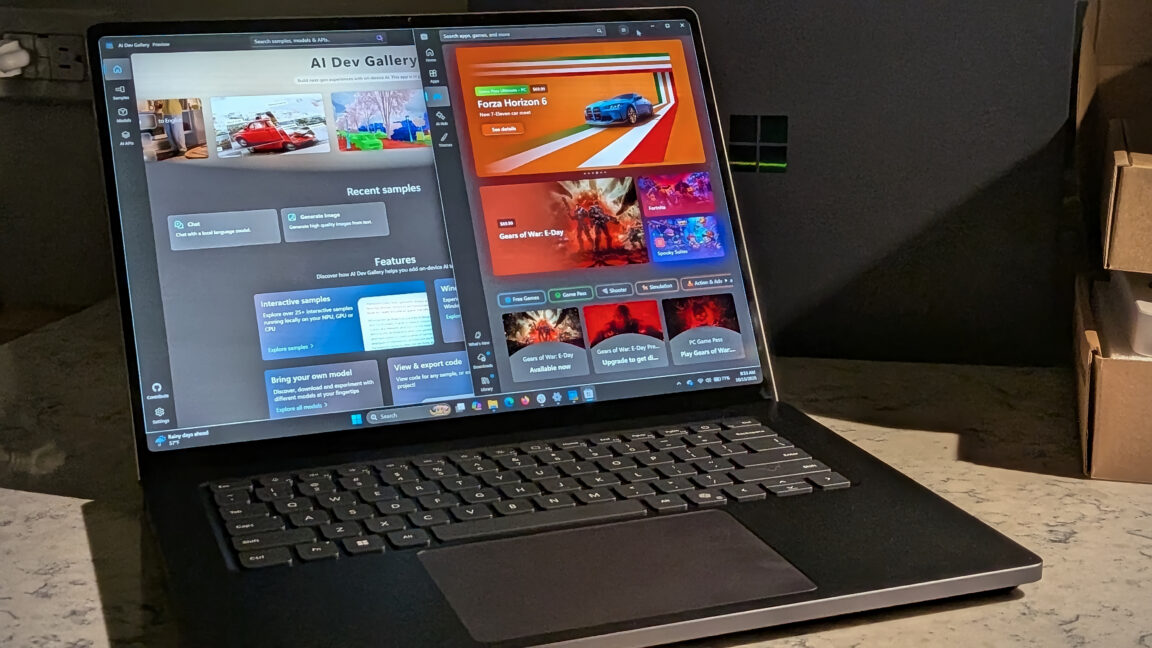
Microsoft Surface Laptop Ultra Review: Powerful Hardware, Premium Price, and Unfinished Software
The Surface Laptop Ultra starts at $2,599 and can reach $5,899 with upgraded processor and memory options. Its mini-LED display, Blackwell RTX graphics, and up to 64GB of unified memory make it an impressive all-in-one laptop—but the software still has room to catch up.
With a starting price of $2,599, the Microsoft Surface Laptop Ultra is not a low-cost alternative to Apple Silicon laptops. This is state-of-the-art hardware, and buyers will pay a premium for it. Depending on the processor and memory configuration, Microsoft’s listed price can reach $5,899.
There is an important difference between the available configurations: the entry-level model with 24GB of unified memory ships with Windows 11 Home, while the other models come with Windows 11 Pro. I tested the 64GB model, which appears to offer the most compelling balance between cost and performance for many users.
That raises a significant question about the base model. Is 24GB enough when Windows 11 itself can be memory-intensive? And will gaming performance suffer if much of that unified memory must be allocated to VRAM?
During Microsoft’s Surface Laptop Ultra review briefing, an audience member asked about the usefulness of the entry-level configuration. The response was vague: it is “useful for local smaller models.” Microsoft may have a clearer answer in a few months, after its software and drivers have had more time to catch up with the hardware.
So, has Microsoft’s partnership with Nvidia created the ultimate all-in-one laptop, or is the industry once again prioritizing hardware hype over finished software?
Microsoft Surface Laptop Ultra specifications
| Specification | Basic configuration | Review configuration |
|---|---|---|
| Display | 15-inch 3:2 mini-LED touchscreen; 3270×2180 resolution; 262 PPI; up to 120Hz dynamic refresh rate | 15-inch 3:2 mini-LED touchscreen; 3270×2180 resolution; 262 PPI; up to 120Hz dynamic refresh rate |
| Operating system | Windows 11 Home | Windows 11 Pro |
| CPU | NVIDIA RTX Spark N1X with a 5,120-core GPU and 18-core CPU | NVIDIA RTX Spark N1X with a 6,144-core GPU and 20-core CPU, up to 4.00GHz |
| Memory | 24GB LPDDR5x unified memory | 64GB LPDDR5x unified memory |
| Graphics | Blackwell RTX GPU | Blackwell RTX GPU |
| Storage | 512GB SSD | 1TB SSD |
| Wireless connectivity | Wi-Fi 7 and Bluetooth Core 5.4 | Wi-Fi 7 and Bluetooth Core 5.4 |
| Ports | Two USB-C/USB4 ports, one USB-C/USB4 port with Mag Connect, one USB-A 3.1 port, HDMI 2.1, SD card reader, and 3.5mm headphone jack | Two USB-C/USB4 ports, one USB-C/USB4 port with Mag Connect, one USB-A 3.1 port, HDMI 2.1, SD card reader, and 3.5mm headphone jack |
| Dimensions | 12.95 × 9.40 × 0.71 inches | 12.95 × 9.40 × 0.71 inches |
| Weight | 4.41 pounds (2.0kg) | 4.41 pounds (2.0kg) |
| MSRP | $2,599.99 | $4,299.99 |
| Webcam | 1080p front-facing webcam | 1080p front-facing webcam |
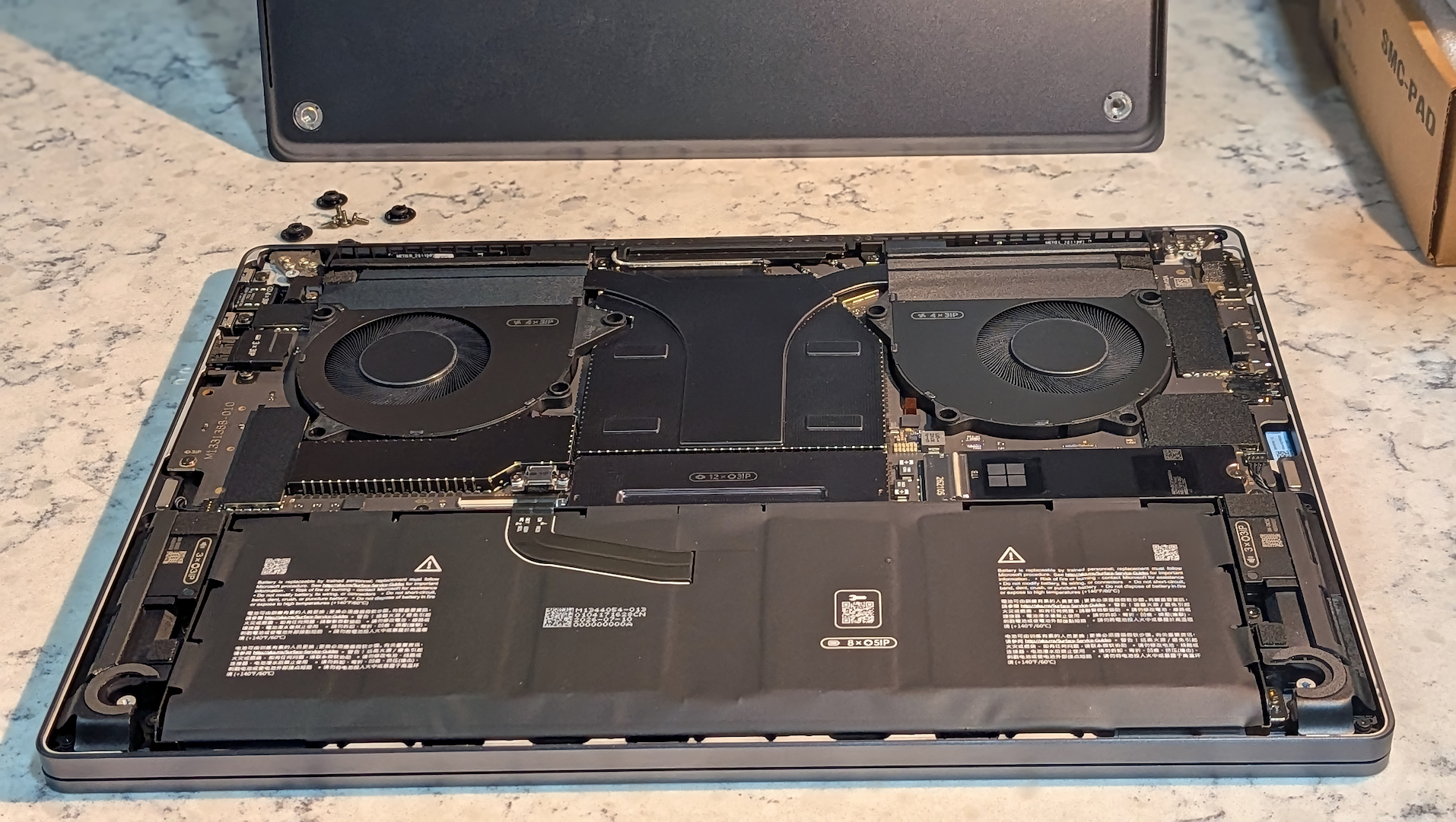
Surface Laptop Ultra display: A bright, high-resolution mini-LED panel
The 15-inch mini-LED display may not be enough by itself to convince shoppers to choose the Ultra, but it is a compelling reason to add the laptop to your shortlist. Its native 3270×2180 resolution looks excellent when watching 4K video, playing games, or working with spreadsheets.
I preferred the enhanced color profile, although the Vivid and sRGB modes also looked great.
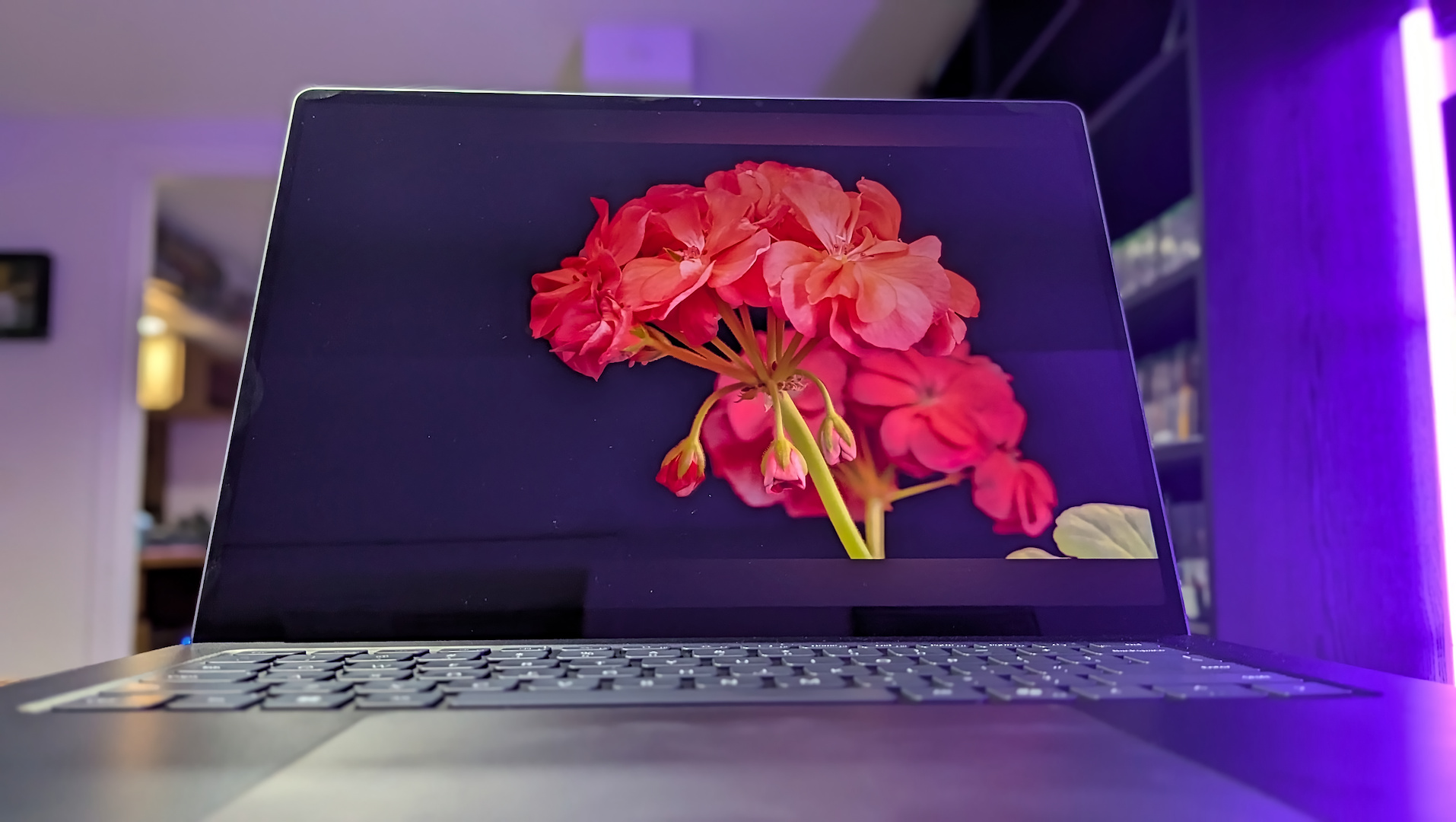
Black levels were deep against bright, vivid subjects, with no visible blooming. While I cannot quantify how the display compares side by side with the latest MacBook Pro Retina panel, the Surface Laptop Ultra has an excellent screen. Viewing angles are wide, colors are punchy, and peak brightness reaches 2,000 nits, making the display easy to see in rooms filled with natural light.
My main complaint is glare. The glossy glass looks excellent in low light, but it can act like a mirror in direct sunlight. That made photographing the display more difficult than using the computer, but it is still worth considering if you are shopping for a laptop with a matte screen.
Source: arstechnica.com