


Demand for penetration testing is rising as organizations respond to DORA Threat Driven Testing, NIS2 and customer security surveys, but cybersecurity teams often struggle to keep up. Experienced testers are in short supply, hiring and training take months, and every engagement includes non-testing work that reduces margins. A structured workflow can help teams measure that overhead, use AI for suitable documentation tasks and keep client vulnerabilities within their own infrastructure.
Measure where penetration-testing time goes
Many companies track billable testing hours without measuring the rest of the engagement. Tagging the last 10 engagements by phase can reveal where time is being spent:
| Step | What to count | Percentage of time |
|---|---|---|
| Scoping and kickoff | Invocation, scope document and access setup | 8% |
| Testing | Reconnaissance, exploitation and verification | 50% |
| Documentation | Creating findings, screenshots and formats | 22% |
| Review | Advanced quality assurance, rework and client comments | 8% |
| Delivery and retesting | Handover report, status questions and retesting | 12% |
Two measurements are especially useful: documentation and review time as a percentage of testing time, and the number of calendar days between the last test date and report submission. The first reveals hidden operating costs, while the second is the delay the client experiences directly.
Define what AI should and should not do
Language models are best suited to tasks where the tester already understands the result and needs to document it. Potential uses include:
- Using an organization’s vulnerability library as a template to turn tester notes into draft findings while preserving the company’s tone and structure.
- Normalizing and deduplicating scanner output from Burp, Nessus, Nuclei and similar tools into a single draft result set.
- Checking for missing remediation guidance, severity levels that do not match CVSS vectors and the same issue being described in multiple ways.
- Building an executive summary from verified results.
Teams should decide in advance which responsibilities remain with human testers, including determining severity, validating exploits and approving statements that clients will rely on as facts.
An AI model that confidently describes or executes exploit chains that nobody can verify may be more harmful than having no assistance at all.
PentestPad is designed to cover an engagement from scoping and scanner import through findings, client delivery and retesting. Its AI can run against a self-hosted large language model within the organization’s own network. Book a demo.
A reference workflow for AI-assisted reporting
- Import scanner output and tester notes into a single project as draft results.
- Match the drafts with entries from a reusable vulnerability library.
- Have the model rewrite each draft in the organization’s house style, then have a tester edit and approve it.
- Attach evidence to findings when it is captured.
- Allow senior reviewers to work through comments in the report rather than by email.
- Export a branded DOCX or PDF report, or deliver it through the client portal.
- Track remediation and retesting for the same findings.
When an AI agent is part of a process, it should have a defined interface rather than unrestricted access. Typed tool interfaces such as MCP can allow agents to create findings and capture project data while preserving permissions, audit trails and data boundaries within the platform.
Teams can monitor three key metrics:
- Documentation and review time as a percentage of testing time.
- The number of days from the last test date to delivery.
- The number of rework rounds for each report.
If the first two measurements decrease without an increase in the third, the process change is working.
How PentestPad supports the workflow
One way to implement this approach is through PentestPad, a penetration-testing reporting and project-management platform built around this workflow.
The platform supports more than 20 imports, including Burp Suite, Nessus, Qualys, Nuclei, OpenVAS, CSV and JSON. It also includes reusable vulnerability templates, a CVSS calculator, custom-branded DOCX, PDF and XLSX reports, a white-label client portal and an AI writing assistant that can run against a self-hosted LLM. PentestPad also provides an MCP server for agents, along with an EU cloud option or fully self-hosted deployment.
| Area | Detail |
|---|---|
| Deployment | Managed EU cloud or fully self-hosted with air-gapping on all plans |
| AI | Hosted or connected to a self-hosted LLM in the organization’s own network |
| Agent tools | MCP server and CLI agents for macOS, Linux and Windows |
| Compliance | EU-based organization, GDPR and ISO 27001 certified |
| Export | DOCX, PDF, XLSX and API |
| Integration | Two-way Jira synchronization; imports from Burp Suite, Nessus, Qualys, Nuclei, OpenVAS, CSV and JSON; REST API and MCP |
Designed for testers and software agents
PentestPad is built to be operated by both software and the person using the keyboard. The model driving the workflow can be located within the organization’s own network.
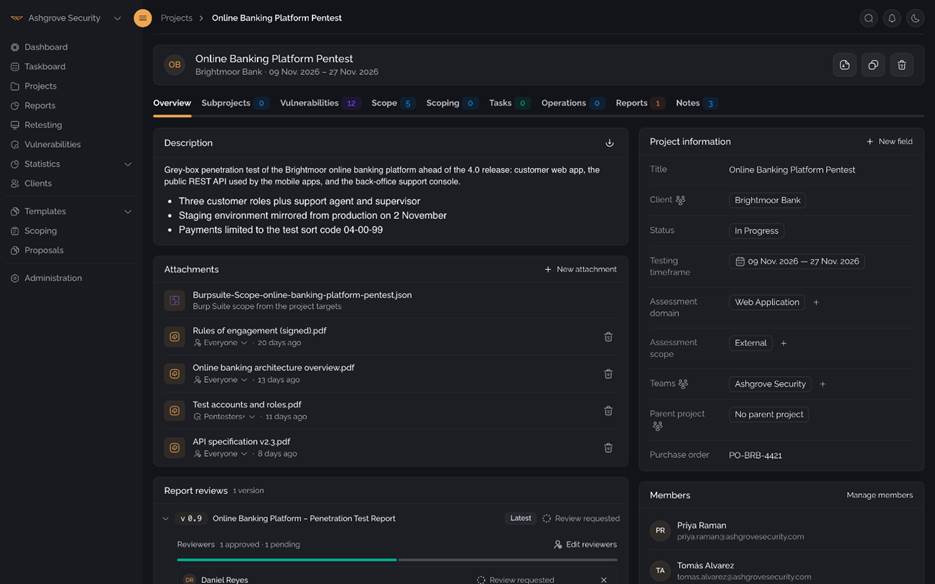
The writing assistant uses material the tester already has, including scanner output, Burp findings, screenshots and log files. Testers can attach evidence and receive structured findings based on their organization’s defined instructions, allowing drafts to follow a proprietary format rather than a generic one.
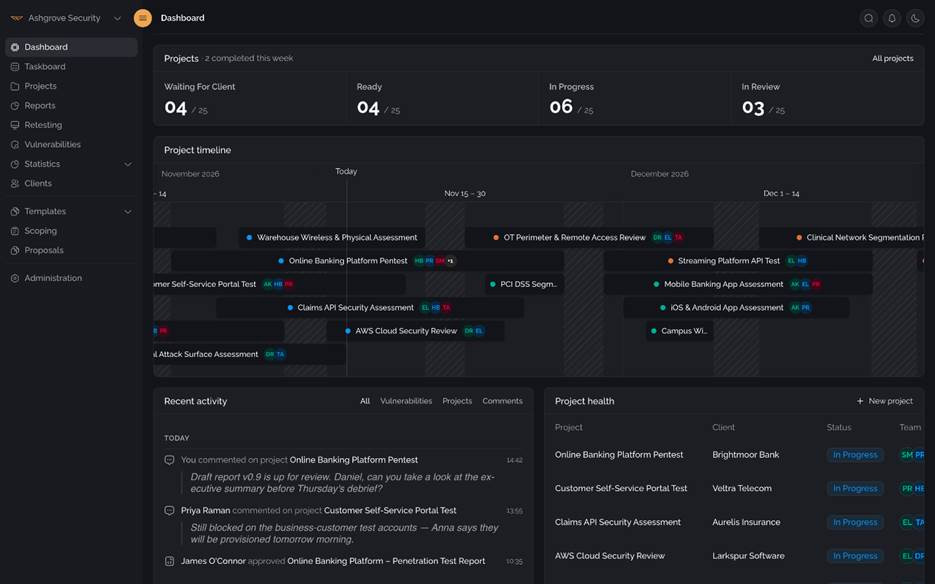
The company describes PentestPad as a knowledge base paired with a local model for inference and a terminal harness connected to both. It says the platform can outperform other popular automated vulnerability-detection tools because it has access to the context of the tested environment.
Additional platform features
PentestPad’s other features include:
- Reporting. Test results can be added to the platform from the terminal. The service supports custom-branded templates, DOCX, PDF and XLSX export, password-encrypted PDFs and a built-in CVSS calculator.
- Proposal management. Teams can use the platform for project scoping.
- Jira synchronization. With two-way Jira sync, a finding becomes a ticket containing reproduction steps and priority. When a developer marks it complete, the finding moves to a ready state for retesting, or returns to an open state if retesting fails.
- Finding management. Reusable vulnerability templates are available, and evidence can be attached to each finding as it is collected.
- Interoperability. The platform supports CSV and JSON exports and more than 20 imports from tools including Burp Suite, Nessus, Qualys, Nuclei and OpenVAS.
- Project management. The company says keeping engagements, findings and retesting in one place reduces project-management overhead by approximately 60%.
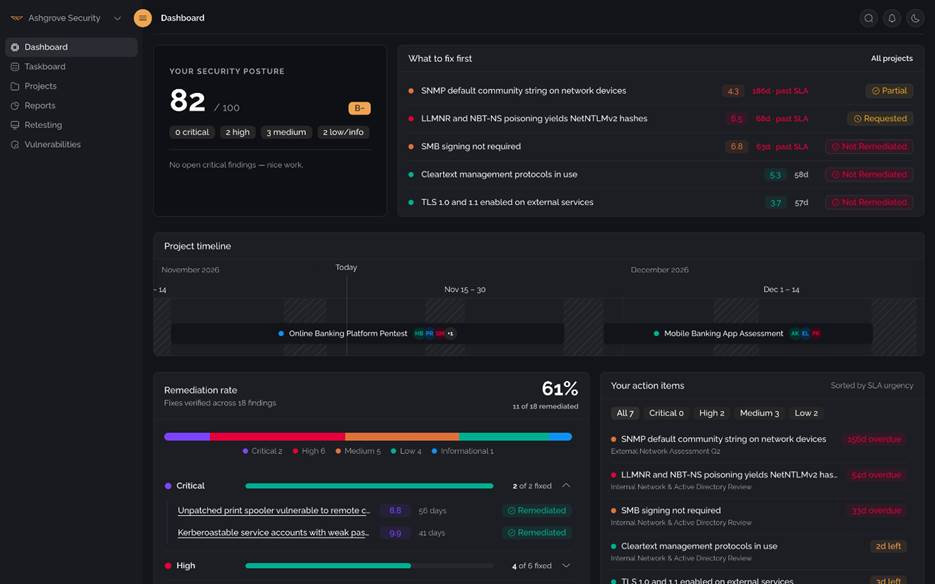
- Client portal. The white-label portal supports a logo, colors, custom domain and two-factor authentication screen. Clients see only their own results.
- Free resources. PentestPad provides report documents and vulnerability templates at no cost.
“This is definitely an essential tool for the people we work with. Once you try it, you’ll never go back.” – Luca Epifanio, Bitcube Security CEO
“Where a client’s findings are stored is determined by the team that holds them. In many cases, that means they don’t exist outside of our own infrastructure. This is the requirement that we built our AI on, so our models run wherever our teams need them, including entirely within our own network.” – Luka Sikic, CEO of SecureBlock.
Schedule a free consultation with a PentestPad expert today.
Sponsored and written by PentestPad.
Source: www.bleepingcomputer.com