


GoPro Mission 1 Pro ILS: Lens Compatibility, Manual Focus and Image Quality
GoPro sent me the Laowa 7.5mm lens to test with the Mission 1 Pro ILS. With HyperSmooth enabled, its field of view is equivalent to shooting with a 23mm lens on a full-frame camera. With HyperSmooth turned off, it becomes equivalent to a 20mm lens.
This is worth noting if you want to shoot very wide with the Mission 1 Pro ILS. You will need an extremely wide-angle lens, and a fisheye lens may be the best option.
Mission 1 Pro ILS lens compatibility
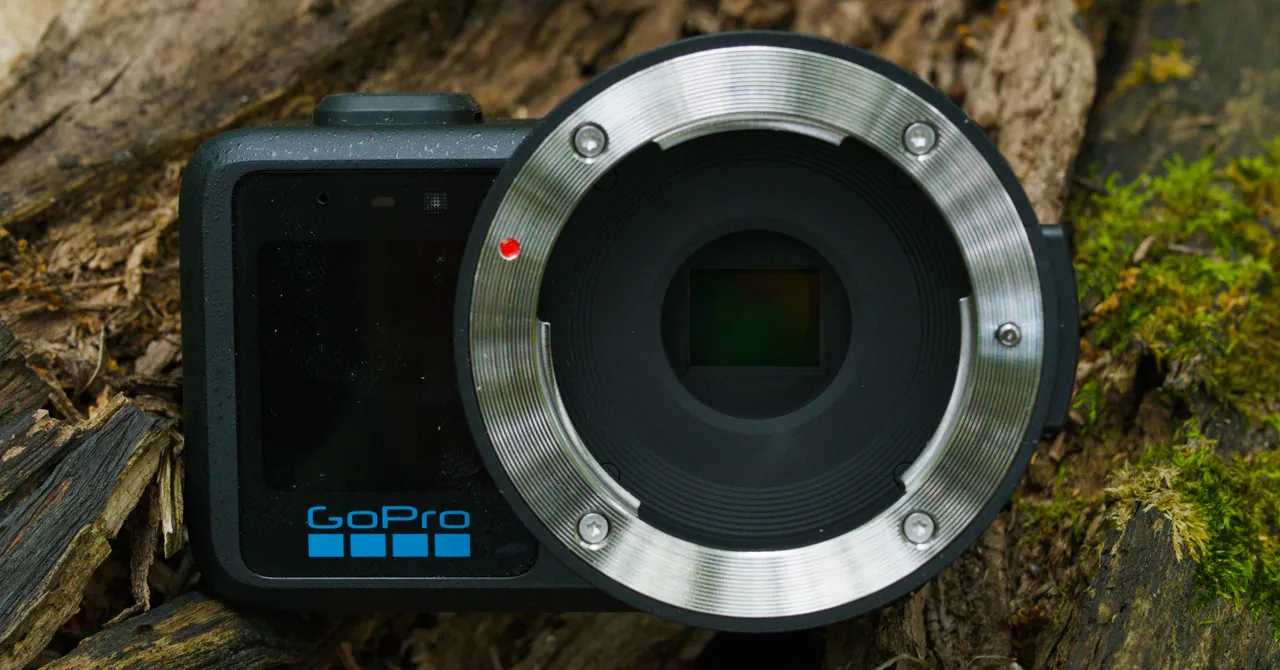
The biggest drawback of the Mission 1 Pro ILS is that it has no electrical contacts. Lenses that rely on electronic focus or electronic aperture control probably will not work.
For example, my favorite Micro Four Thirds lens, Panasonic’s original 20mm Pancake, is not compatible with the ILS because it does not have a manual aperture ring.
Your best option is a fully manual lens with a mechanical aperture ring. There are not many lenses that meet these requirements, but enough are available to cover a useful range of focal lengths with high-quality glass.
GoPro’s Abe Kislevitz assembled a collection of lenses for the GoPro Mission 1 Pro ILS. He discusses the lenses he tested and recommends options for different shooting situations.
Keep in mind that the camera is sold as a body only. So far, we have not found any GoPro or reseller bundles that include lenses.
Manual focusing is difficult on the ILS
With the Mission 1 Pro ILS, you have to focus manually. I regularly shoot with a vintage manual-focus lens on my Sony A7R II and have used these lenses successfully for sports and wildlife photography. However, I had a much harder time focusing with the ILS.
The main problem is the camera’s small screen. It is difficult to see, even outside in bright daylight. The display is simply very small.
The ILS does offer focus peaking, which uses colored bands to show which parts of the image are in focus. However, it can be difficult to see exactly where the focus area ends, and my experience with Sony cameras has taught me not to rely on focus peaking completely.
You can zoom in to achieve more precise focus, as I do with my Sony, but the ILS’s small screen still makes this challenging. The problem is especially noticeable for filmmakers because you need to hold the camera at eye level to focus. Otherwise, you may find yourself contorting your body into uncomfortable positions.
I would like to see a tilt screen on a future version of the Mission 1 Pro ILS. The camera is not waterproof anyway, so there does not appear to be a clear reason to avoid redesigning it with a tilting display.
Using a phone or external monitor
GoPro recommends using the Mission 1 Pro ILS app on a phone, which makes focusing much easier. However, you then need a cage and a handle, and that reduces much of the camera’s size advantage.
It may be worth considering a camera such as the Panasonic GH7, which has a larger sensor.
An external phone or monitor solves much of the focusing problem, and professional filmmakers use external monitoring setups anyway. However, the lack of electronic aperture control remains a more serious limitation because it makes many lenses incompatible with the ILS.
A future Mission 1 Pro ILS would benefit from an electronic connector that supports aperture control while retaining manual focus for lenses that require it.
Mission 1 Pro ILS image quality
Once you overcome the challenge of manual focus, the Mission 1 Pro ILS has a lot to offer. Testing it reminded me more of the Blackmagic Pocket Cinema Camera from several years ago than any other camera.
It is hard to believe that such a tiny product can deliver image quality comparable to that of early Blackmagic cameras.
Source: www.wired.com