


Windows 10 KB5126657 Released: October 2026 Security Updates, Fixes and Known Issues
Microsoft has released Windows 10 Extended Security Update KB5126657 as part of the October 2026 Patch Tuesday rollout. The update includes security fixes for a record-breaking number of vulnerabilities, along with bug fixes and other changes for supported Windows 10 devices.
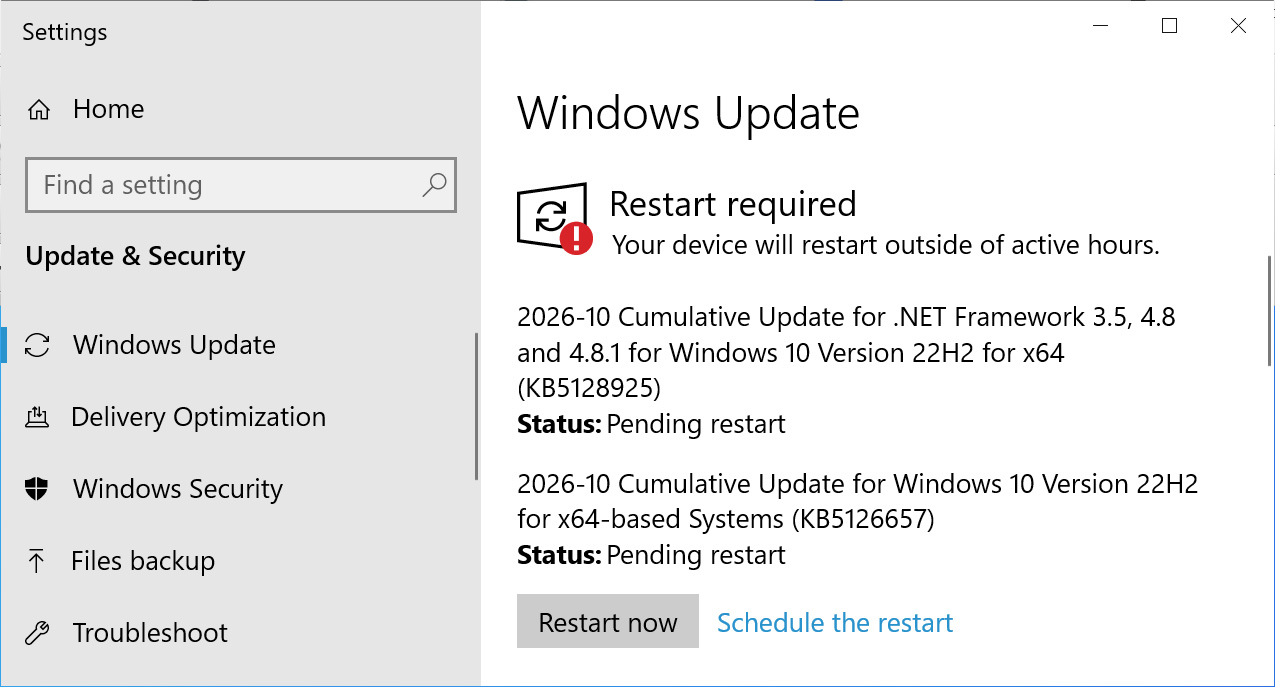
Windows 10 Enterprise LTSC users and devices enrolled in the Extended Security Updates (ESU) program can install KB5126657 through Settings > Windows Update by selecting Check for updates.
Source: BleepingComputer
After installation, Windows 10 is updated to build 19045.7807. Windows 10 Enterprise LTSC 2021 is updated to build 19044.7807.
What’s new in Windows 10 KB5126657?
Microsoft is no longer releasing new features for Windows 10, so KB5126657 primarily delivers security updates, reliability improvements and bug fixes.
Microsoft’s KB5126657 support page states that the update includes fixes from the October 2026 Patch Tuesday release. That security update addressed 1,411 vulnerabilities across Microsoft products, including one actively exploited zero-day flaw.
The main fixes and changes in Windows 10 KB5126657 are listed below.
-
Time and date changes
- This update enables permanent Daylight Saving Time (DST) support in British Columbia and Alberta starting in November 2026.
- This update adds a new time zone: Manitoba Standard Time, listed as Manitoba at UTC-5:00.
- ReFS security improvements: KB5126657 adds auditing and optional policy controls for ReFS volumes on externally attached storage devices. Auditing is enabled by default, while enforcement controls remain disabled by default so administrators can evaluate and prepare for future security changes. For more information, see KB5130741.
- Storage Spaces: The update addresses an issue that could leave some Storage Spaces Direct virtual disks offline after Windows updates are installed. The problem occurs when valid tiered storage metadata is incorrectly identified as invalid during recovery, preventing the affected virtual disk and dependent workloads from coming online.
- File History: KB5126657 fixes an issue that could prevent File History from backing up or restoring files to an external drive or network location. Affected devices could incorrectly display a “Please reconnect the drive” message even when a compatible backup drive was connected and working properly.
- Secure Boot: Microsoft continues deploying updated Secure Boot certificates. Windows Update uses the latest reliable targeting data to identify supported devices ready to receive the new certificates automatically. Deployment continues across supported devices.
Known issue affecting USB audio devices
Microsoft says KB5126657 has a known issue affecting some USB Audio Class 1.0 devices after installation of the September 2026 Windows Security Update.
Affected devices may fail to start and display a Code 10 error in Device Manager. They may also stop producing audio, or their volume controls and sound settings may become unresponsive. Some devices continue working in standard stereo mode but may fail when using 8-channel or 3D audio configurations.
Microsoft partially addressed the problem with an emergency out-of-band update released on September 14, which fixed issues involving 8-channel and 3D audio modes.
However, other USB audio problems remain unresolved. Microsoft says it is working on additional fixes.

Join Mikko Hypponen and security leaders from the NFL, Chanel and Atlassian for a two-hour digital summit covering what will change with AI-speed attacks, what defenders should stop doing, and how to verify, decide, fix and revalidate at machine speed.
Source: www.bleepingcomputer.com