


Bambu Lab P2S Review: Multicolor Printing, AMS Drying, and Easier Nozzle Changes
None of my 30-plus prints failed, aside from a few mismeasurements on my part, so I wasn’t able to test the AI fault-detection feature. I did, however, get a chance to look through the 1080p camera. The Bambu Handy app saves a short time-lapse video of the object being printed, which is fascinating to watch.
AMS makes multicolor 3D printing simple
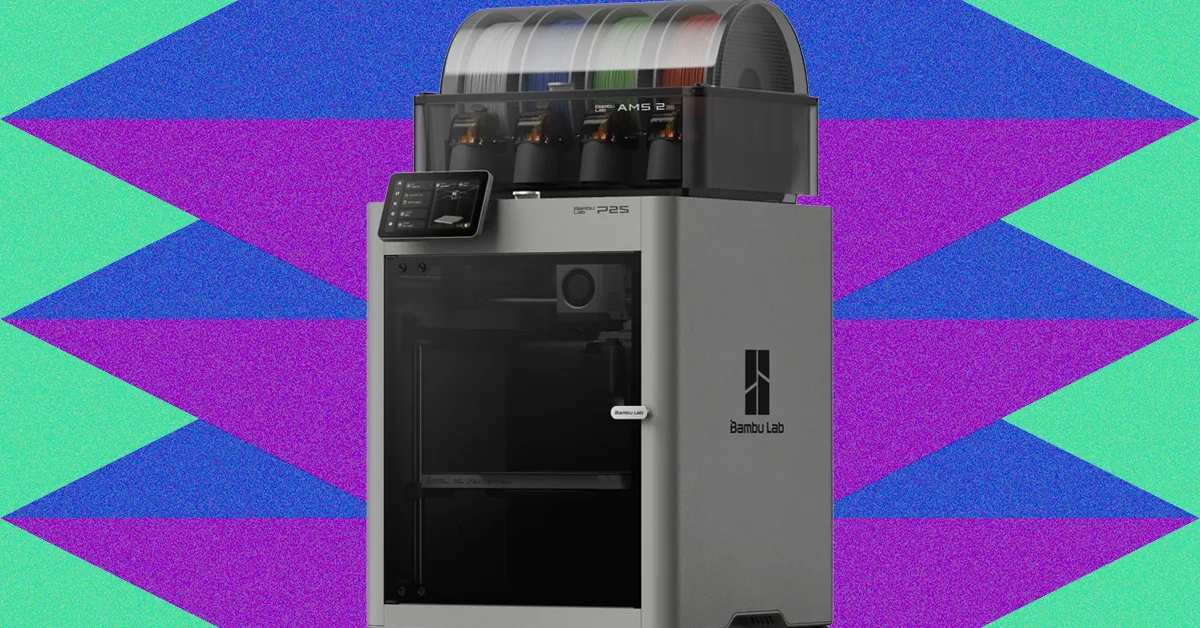
The “Combo” in the printer’s name refers to the Automated Material System (AMS) mounted on top of the printer. The AMS is also available separately for $299.
Four filament spools can automatically feed into a project, making multicolor prints far easier. Without an AMS, you would need to pause the print, remove the current filament spool, and install a different one manually.
On the P2S, the AMS can also dry filament. This removes absorbed ambient moisture that can create steam when the filament is heated and potentially ruin a print.
Photo: Kat Melk
I tested the P2S on the West Coast in late summer, when humidity was low enough that the built-in hygrometer showed the filament’s relative humidity staying below 40 percent. As a result, it did not need drying. If you live in a humid area, however, the AMS could save considerable time.
The P2S makes nozzle replacement easier
Replacing the nozzle on the P1S required unplugging the printer and disassembling the assembly with screws, making the process cumbersome. The P2S improves this with a magnet on the front of the nozzle head that pops off quickly. You can simply unclip the old nozzle and clip in a new one, which is a major benefit if you change nozzles frequently.
Plan for filament waste and add a “poo chute”
The P2S retains the P1S’s automatic nozzle-cleaning feature, which ejects filament clumps from the back of the machine. Although I had been warned, I was surprised by how much debris ended up on the floor, particularly when printing in multiple colors.
I highly recommend making a “poo chute” or collection basket one of your first prints. There are also plenty of creative ways to use the accumulated filament clumps, from filament-waste games to a “poop Atlas” world map of filament waste.
Is the Bambu Lab P2S worth it?
Yes—unless you specifically want a dual-nozzle 3D printer or a commercial-grade unit that can also laser-cut and engrave, features the P2S does not offer.
The ability to quickly print and customize useful household and garage objects, art projects, and toys with minimal effort makes the P2S worth the money. It is especially useful if you have basic engineering skills, since importing files into Bambu Studio is straightforward.
Filament cost and compatibility
Bambu Lab filament costs approximately $15 for one roll, including a spool.
I previously saw a mismatch warning in the app when using non-Bambu filament with the P1S. I did not have non-Bambu filament available to test with the P2S, so I cannot confirm whether that issue has been fixed.
Source: www.wired.com