


Apple HomeView Smart Display: Price, Features, Release Date, and iPhone Requirements
Apple is going big on the smart home. After launching its first MacBook Neo, announcing its first foldable iPhone in September, and appointing a new CEO for the first time in 15 years, the company has introduced Apple HomeView—its first smart display.
Since voice assistants entered homes a decade ago, companies such as Google and Amazon have released a wide range of screen-enabled smart speakers. Apple, however, has maintained a relatively small smart home ecosystem built around HomePod speakers. The company also removed the iPad as a hub device several years ago, leaving users to buy an Apple TV or HomePod to get started. That may help explain why Apple’s smart home products have not gained as much traction.
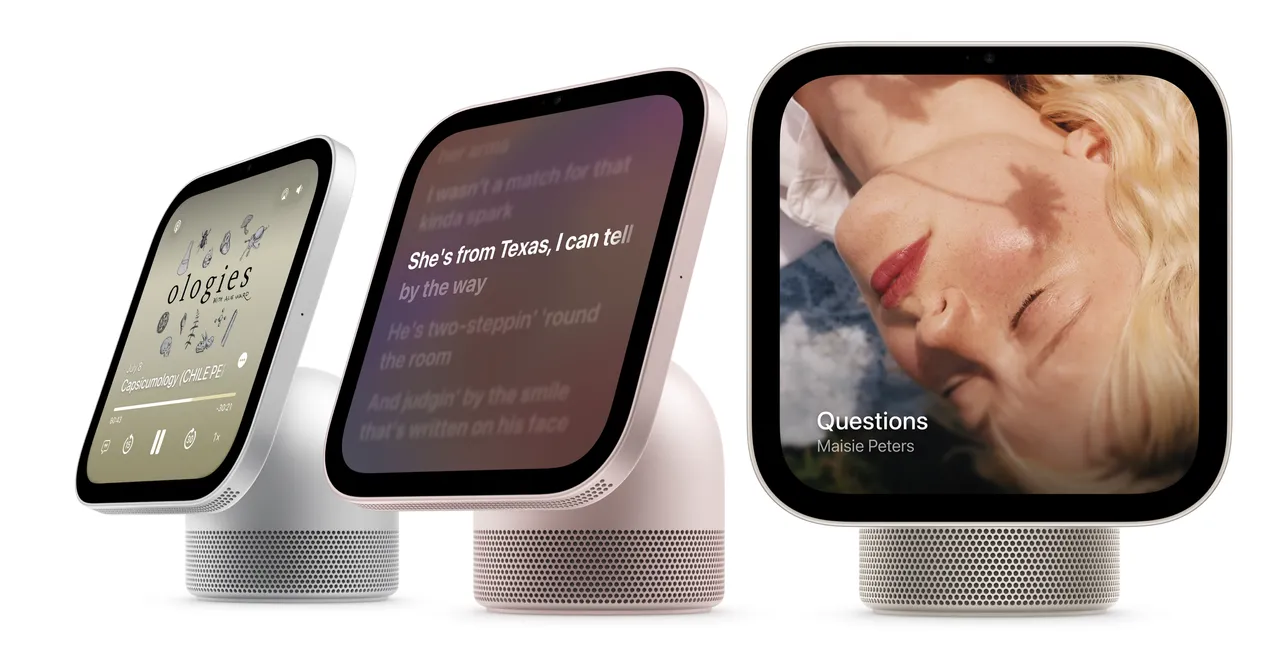
The 7-inch Apple HomeView smart display was announced Tuesday at an event in New York City alongside several other smart home devices. The launch is part of Apple’s effort to revitalize its lagging smart home ecosystem. HomeView costs $299 and comes in two versions: one with a speaker base and another designed for wall mounting. Both versions cost the same. Preorders are now open, and sales begin November 13.
Provided by Apple
Apple HomeView Looks Like a Bigger Apple Watch
The first thing I thought when I saw Apple HomeView in action was that it looked like a larger Apple Watch. Its 7-inch square screen features multiple “faces” that you can swipe through, much like a smartwatch. You can customize the face color and add complications to make important information easier to see.
The available faces include watch designs, favorite photos of friends, family, and pets, shared albums, weather forecasts, and Snoopy animations. Swiping up opens a home screen that resembles the iPhone and iPad, with apps arranged alongside widgets.
HomeView does not run iOS or iPadOS. Instead, it uses software specifically designed for the device. There is also no App Store. Apple provides built-in apps such as FaceTime, Messages, and Safari, while several third-party media apps—including Spotify—are available through the CarPlay framework.
Developers can bring their existing CarPlay apps to HomeView. If one of those apps is already installed on your iPhone, it will automatically appear on HomeView after setup. Video streaming apps such as YouTube, Netflix, and Disney+ are not currently available. If those companies bring their apps to the CarPlay framework, they will appear on HomeView; for now, you will need to use Safari to watch their videos.
Apple HomeView Requires a Newer iPhone
To use all of HomeView’s features, you need an iPhone 15 Pro or newer that supports Apple Intelligence. Apple HomeView cannot be set up with an iPad.
Source: www.wired.com