



From rising cloud storage costs and data sovereignty requirements to legacy application compatibility, organizations have many reasons to continue using on-premises file servers. Local storage can provide affordable capacity and greater control, but regardless of where data is stored, strong access governance is essential to keeping sensitive information out of the wrong hands.
Even in the cloud era, many businesses maintain on-premises file servers alongside SaaS applications and cloud storage platforms. This hybrid IT model enables organizations to store large volumes of data while maintaining control over costs, security risks, retention policies, backups, and user access.
Cloud services offer flexibility and convenience, but rising subscription fees, data ownership concerns, regulatory requirements, and vendor dependency are prompting some organizations to reconsider cloud-only strategies.
As a result, file servers are likely to remain an important part of enterprise IT environments for years to come. Whether your organization uses file servers for cost savings, compliance, performance, or legacy compatibility, they must be managed securely and efficiently.
Because on-premises infrastructure gives organizations direct control over their data and security risks, effective access governance is critical to protecting file server data.
Here are five file server security best practices every administrator should follow.
#1: Do not assign permissions directly to users
When granting access to file server directories, use dedicated, single-purpose security groups that follow a consistent naming convention, such as fs_finance_read.
Most IT managers understand this best practice, but it can be difficult to follow when business leaders urgently request access for employees or project teams.
The problem with assigning permissions directly to individual users is that these one-time permissions are difficult to track. You can inspect a user account to see which security groups the user belongs to. When groups are named according to the permissions they provide, group membership effectively becomes an access inventory.
However, if a user receives direct permission to a folder, that access may only be visible in the folder’s security properties. Even in relatively small environments with a few hundred directories, this makes individual permissions difficult to discover, audit, and remove.
A must-read for system administrators: Our best practices guide provides important tips and techniques for managing access in Microsoft environments.
Clean up your group structure, improve visibility, and reduce your workload – start now!
#2: Nest permission groups with the AGDLP model
Dedicated security groups are the preferred way to grant access to file server directories, but users do not always need to be added directly to those permission groups. Adding another layer of abstraction can make file server and Active Directory management more efficient.
First, create global groups that represent organizational roles, such as sales, customer support, finance, or human resources. Then add those global role groups to separate permission groups for each file server resource the role needs to access.
This tiered structure allows administrators to provide new employees with the appropriate access by adding them to the global group that matches their job function. When an employee changes roles, administrators can update group membership instead of modifying permissions across multiple folders.
This approach is known as the AGDLP model, which represents the sequence of accounts, global groups, domain local groups, and permissions. Following AGDLP or a similar structure supports role-based access control and can significantly simplify access governance for file servers and Active Directory resources.
#3: Use NTFS permissions to control access
Share permissions control access to network resources such as Windows file shares. However, many administrators prefer to use NTFS permissions for detailed access control because NTFS permissions apply to both network and local access and provide more granular permission levels.
When share permissions and NTFS permissions are applied together, the most restrictive effective permission takes precedence. For this reason, many organizations set relatively broad share permissions—such as Modify for standard users and Full Control for administrators—while using NTFS permissions to enforce more specific access restrictions.
Using a consistent approach helps reduce confusion and makes file server permissions easier to troubleshoot, document, and audit.
#4: Avoid breaking permission inheritance
Effective file server governance starts with a clean directory structure and centralized permission management. Whenever possible, configure permissions at the top levels of the folder hierarchy and allow them to inherit throughout the directory tree.
As a general rule, avoid setting explicit permissions deeper than two or three levels below the root directory. Fewer exceptions make it easier to understand who can access data and why.
Of course, administrators often inherit complex folder structures created over many years. Business demands, temporary projects, and ad hoc access requests can result in permissions being applied to deeply nested folders.
Before breaking inheritance, consider whether it would be simpler to create a new folder or move the resource higher in the directory structure. Overriding inherited permissions can create unexpected access issues and make future changes more difficult across subfolders and files.
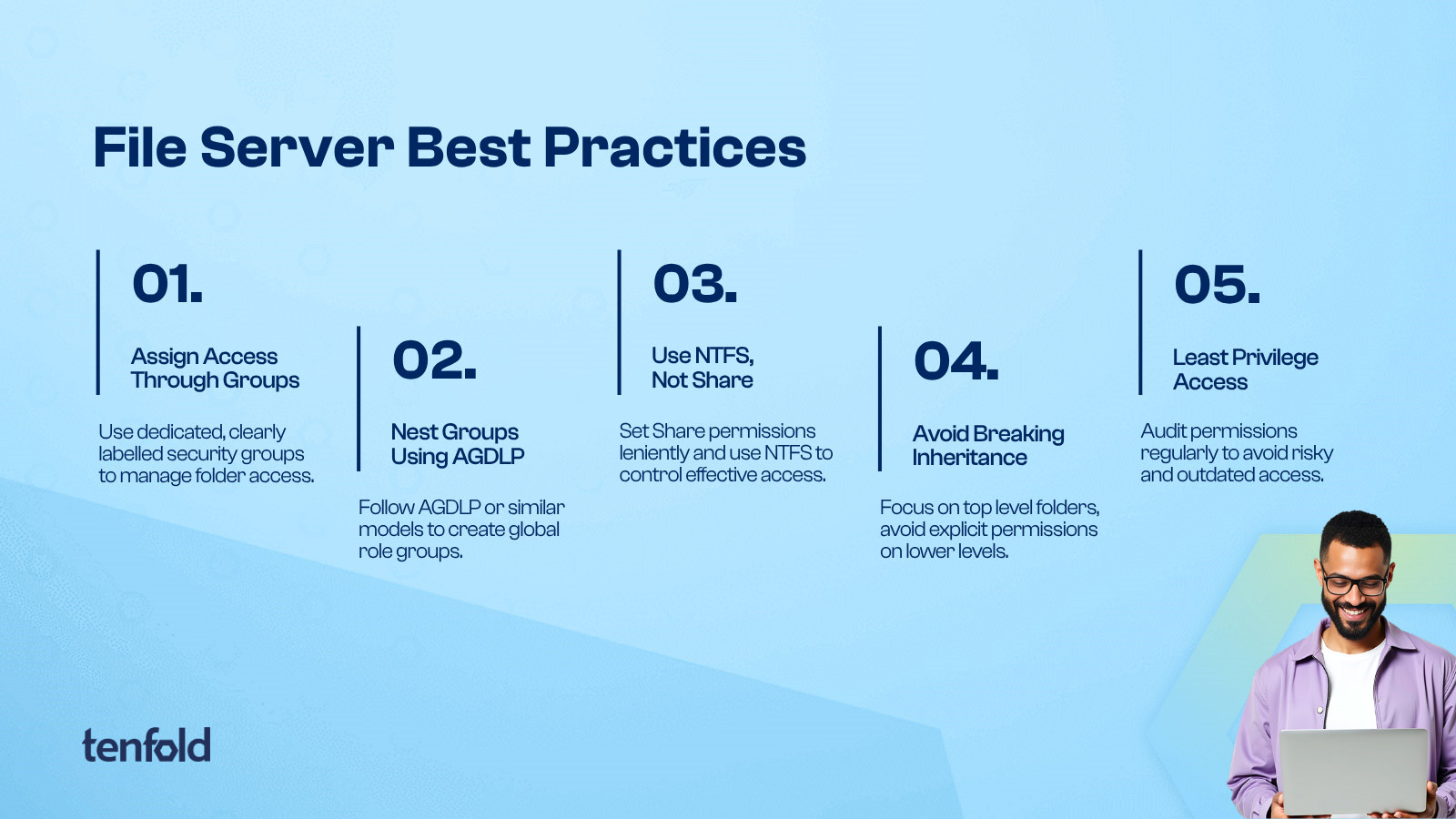
#5: Follow the principle of least privilege
Users should have only the access required to perform their jobs. They should also receive the most restrictive permission level that enables them to complete their responsibilities. This principle of least privilege is a fundamental part of file server security and modern identity and access management.
Least privilege is not a one-time task performed when access is initially granted. Employees change roles, projects end, and responsibilities evolve. As a result, access requirements can change over time.
A permission may have been appropriate when it was assigned, but is it still necessary one month, one quarter, or one year later?
Regular access reviews are the only reliable way to ensure that user permissions continue to match current job responsibilities. Administrators should identify excessive or unused access and revoke permissions that are no longer required.
However, manual privilege reviews are difficult to maintain, particularly in large hybrid environments. Without a centralized governance platform, tracking user access and enforcing recurring access review policies can become time-consuming and inconsistent.
Manual monitoring alone is rarely sufficient to enforce least-privilege access at scale.
Automate file server access governance
From nested security groups to well-designed folder structures, a consistent approach to file server management can reduce administrative effort and bring order to complex access environments.
Even when administrators follow these file server security best practices, managing permissions remains a demanding task—especially when file servers are only one part of a broader IT infrastructure.
Dedicated governance solutions such as tenfold can help automate and simplify file server access management. The platform supports provisioning tasks, approval workflows, and security group management while providing greater visibility into access rights.
Tenfold also provides a detailed view of directory structures, showing who has access to each resource and why. This visibility extends beyond on-premises file servers to include cloud permissions and other systems.
With identity governance capabilities covering role-based access control and lifecycle management, along with data access governance and event auditing features, tenfold combines multiple access management functions in one platform. Organizations can track and manage access across on-premises file servers, cloud applications, and other enterprise resources.
Book a personal demo to learn more about tenfold and discuss your access governance requirements with a specialist.
Sponsored and written by tenfold software.
Source: www.bleepingcomputer.com