


How to Find Shadow IT and Close IT Visibility Gaps with Wazuh
Shadow IT includes hardware, software, and services operating outside the visibility or approval of IT and security teams. Examples include unauthorized applications installed by employees, browser extensions with excessive permissions, and endpoints that were provisioned but never registered with a monitoring platform.
Because unmanaged assets are not covered by existing security controls, they create visibility gaps that can affect vulnerability management, policy enforcement, and threat detection.
Many organizations use network discovery scans to measure asset coverage. Network discovery is useful, but it only identifies endpoints that respond during the scan window. Devices that are powered off, isolated on network segments, or running software that does not expose listening ports may remain hidden. As a result, network discovery measures network reachability rather than complete monitoring coverage.
Wazuh is a free, open-source security platform that unifies SIEM and XDR capabilities across endpoint and cloud workloads. Because Wazuh collects system inventory directly from monitored endpoints, security teams can compare network scan results with data from Wazuh-monitored systems.
This comparison can help identify unmanaged endpoints, unauthorized software, and gaps in security monitoring.
Why Shadow IT Is Difficult to Discover
Shadow IT can persist when the tools used to report security findings cannot observe the assets or software involved. Understanding these visibility gaps helps security teams determine which controls and data sources need to be extended.
- Unmanaged endpoints: Workstations that are reimaged but not reregistered, as well as virtual machines created for short-term projects and left running, do not generate telemetry. Without an installed monitoring agent, they do not appear in patch reports, vulnerability findings, or alert data.
- Unauthorized applications on managed endpoints: Remote access tools, file-sharing clients, and productivity utilities installed outside approved software baselines can create risk even when the endpoint itself is monitored. Endpoint visibility does not always mean that the software running on the endpoint has been reviewed against security policies.
- Software that does not open network ports: Network discovery can infer services from the ports a host exposes, but it cannot reliably identify software that does not listen for incoming connections. Browser extensions, local utilities, and remote access tools that initiate outbound connections may not be visible through network discovery alone.
- Devices that cannot run an agent: Printers, switches, IP cameras, and other network devices require inventory and monitoring methods other than endpoint agents.
Addressing these categories requires endpoint telemetry as well as additional data sources for devices that cannot run agents.
How Wazuh Helps Close Shadow IT Blind Spots
Wazuh helps organizations reduce shadow IT exposure through continuous system inventory collection, centralized analysis, and correlation of inventory data with vulnerability and policy information. The following capabilities help security teams identify unmanaged assets and unauthorized software across their environments.
Continuous System Inventory
The Wazuh agent collects hardware details, operating system information, installed packages, network interfaces, listening ports, running processes, services, users, groups, and browser extensions from monitored endpoints. On Windows endpoints, the agent also reports installed updates.
The agent forwards this data to the Wazuh server, which processes it and stores the endpoint’s current state in the Wazuh indexer. The system inventory function is enabled by default. It performs an initial scan when the Wazuh agent starts and rescans at configurable intervals. The default interval is one hour.
Centralized Visibility Across the Environment
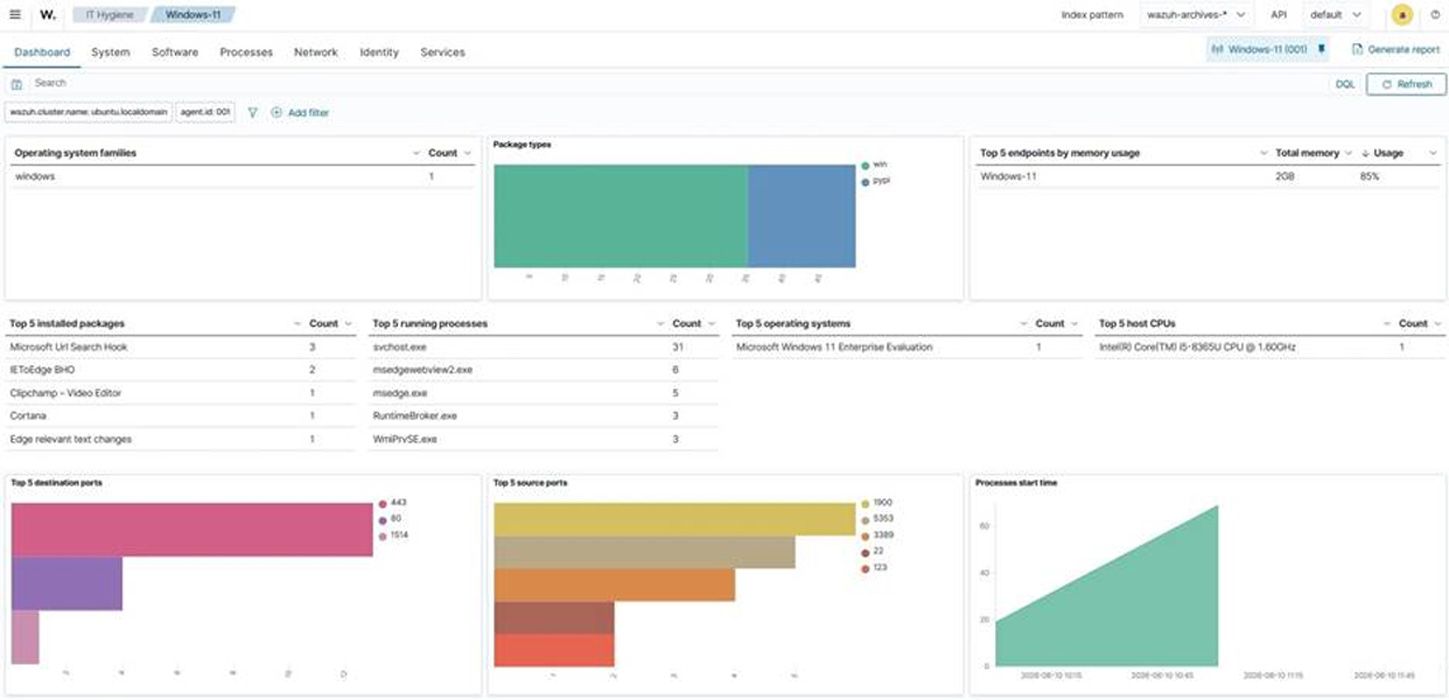
Inventory data from monitored endpoints is aggregated into a dedicated index and displayed in the Wazuh dashboard. The IT hygiene view is organized into Dashboards, Systems, Software, Processes, Networks, Identity, and Services.
Security teams can query inventory from a single interface instead of inspecting endpoints individually. The Network section includes a Traffic tab that lists the ports actively listening on each endpoint. This provides a host-level view of information that a network scan attempts to infer remotely.
Browser Extension and Endpoint Service Visibility
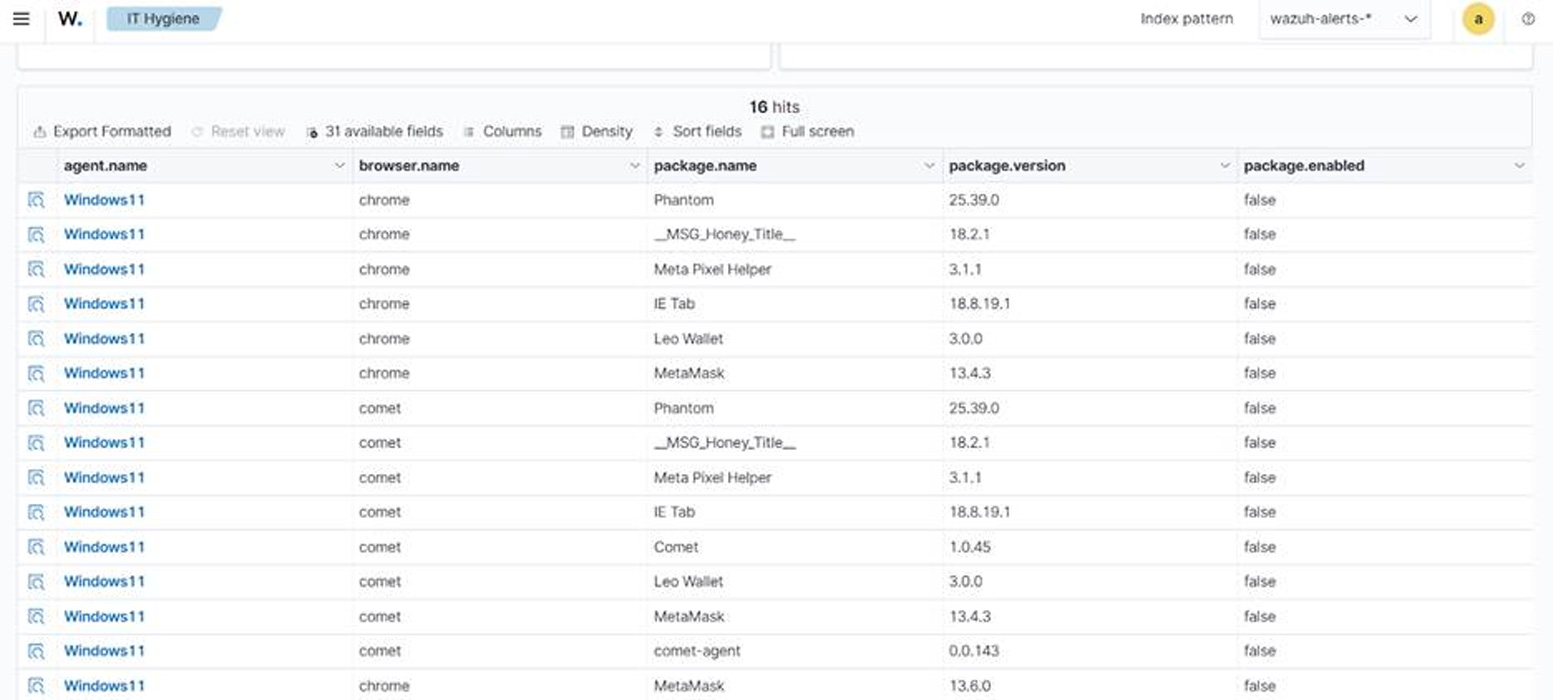
Starting with Wazuh 4.14.0, Wazuh collects inventory data about browser extensions, endpoint services, users, and groups.
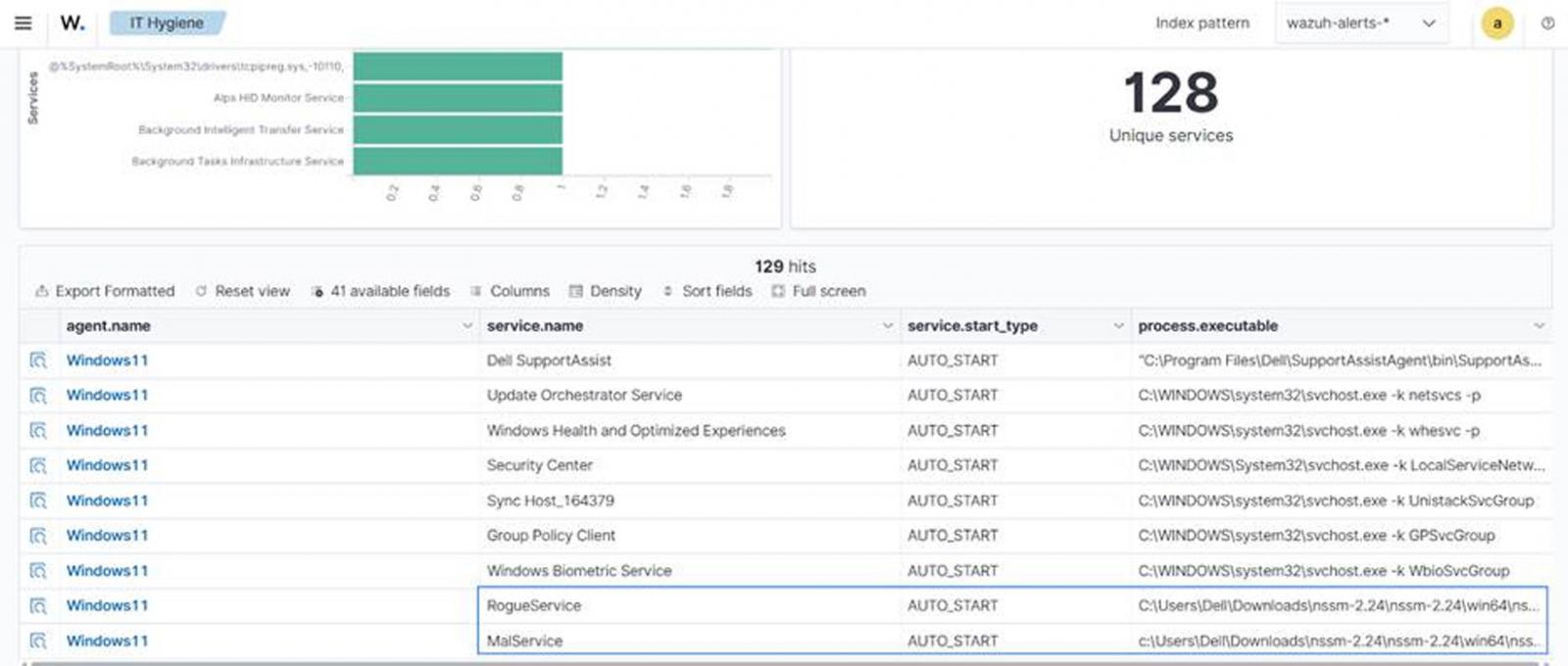
The browser extension model is unified across Windows, macOS, and Linux, allowing security teams to identify extensions with broad permissions across assets using a single query. Service inventory normalizes Windows services alongside Linux systemd units, helping teams find unauthorized software configured to start automatically.
Monitoring Devices That Cannot Run the Wazuh Agent
Wazuh provides agentless monitoring through SSH connections to routers, firewalls, switches, and Linux or BSD systems.
For devices that support neither agents nor SSH sessions, the Wazuh server can accept syslog data directly from network appliances and other equipment. These capabilities extend visibility to devices that cannot run the Wazuh agent. However, SSH and syslog monitoring provide only the information exposed through configured commands, files, and device logs.
Measure Wazuh Agent Coverage
Agent registration status measures coverage among endpoints that are already registered with the Wazuh server. Unknown endpoints without an installed or registered agent are not identified by registration status alone.
Wazuh agents report one of four states: not connected, pending, active, or disconnected. An agent that has registered but does not connect may indicate that deployment is incomplete. If a keepalive message does not arrive within the configured time window, which is 15 minutes by default, the agent transitions to a disconnected state.
Reviewing these states helps security teams identify endpoints that are expected to be monitored but are no longer reporting.
Correlate Inventory with Vulnerabilities and Policies
Inventory data becomes more useful when compared with vulnerability and lifecycle references. Wazuh’s vulnerability detection capability correlates collected software inventory with vulnerability content from the Wazuh Cyber Threat Intelligence (CTI) platform.
Wazuh does not probe endpoints or sweep the network for this purpose. Its analysis is based on data that endpoints have already reported. Teams can also compare the same inventory with external data sources to identify software that is no longer supported and no longer receives security updates.
Threat Hunting Across Inventory Data
Because inventory is centrally stored and indexed, security teams can query it during investigations instead of collecting data on demand.
The Wazuh blog post Threat hunting using inventory data collected by Wazuh demonstrates how custom rules, CDB lists of unapproved software and ports, and inventory queries can help surface assets that a single alert might not identify.
Detect and Remove Unauthorized Applications
Security teams can configure custom Wazuh rules to detect selected unauthorized applications and remove them from monitored endpoints using tested Active Response scripts.
The Wazuh guide Managing Shadow IT with Wazuh explains how to configure detection rules and Active Response scripts to uninstall unauthorized applications from monitored endpoints.
Conclusion: Improve Shadow IT Visibility
Shadow IT is a visibility issue before it is a policy issue. Organizations cannot enforce software baselines on assets they cannot see. A network scan alone also displays only systems that respond during the scan.
Wazuh helps reduce this visibility gap by collecting inventory from monitored endpoints and ingesting data from configured agentless sources. Endpoint inventory shows what is installed, running, and listening on each host. Agentless monitoring and syslog ingestion extend visibility to supported devices that cannot run the Wazuh agent.
Wazuh agent registration states also help security teams measure monitoring coverage rather than assume it. By centrally indexing this data, security teams can identify vulnerabilities, examine inventory across monitored endpoints, compare software and lifecycle information, and initiate configured remediation for applications outside approved software baselines.
To learn more about Wazuh, visit the documentation and join the Wazuh community.
Sponsored and written by Wazuh.
Source: www.bleepingcomputer.com