


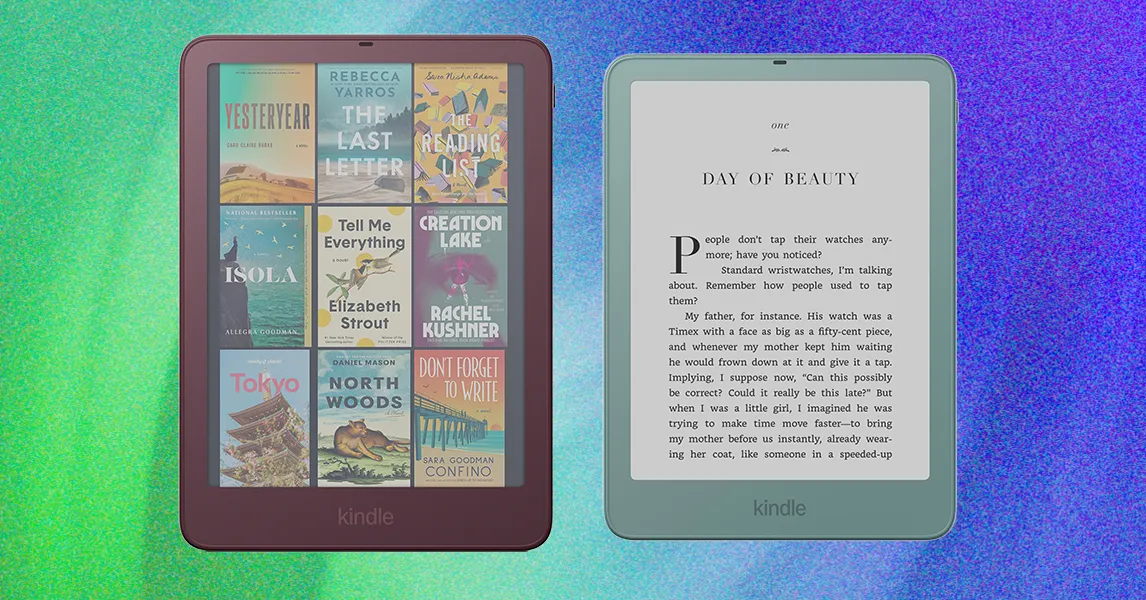
The 2026 Kindle Paperwhite Signature Edition and Kindle Colorsoft Signature Edition retain features such as auto-adjusting front lights, wireless charging and expanded storage, while adding aluminum back frames and pogo pins for new accessories. The upgraded models offer more premium finishes and support Amazon’s optional page-turning cover, but the higher price makes the accessory ecosystem harder to justify against competing e-readers with built-in buttons.
What’s new in the 2026 Kindle Signature Edition
Previous Signature Editions of the Kindle Paperwhite and Kindle Colorsoft already included auto-adjusting front lights, wireless charging and additional storage. The 2026 versions keep those features but add a new aluminum back frame, giving the devices a glossier, more premium appearance.
The aluminum frame also includes pogo pins on the back for connecting new Kindle accessories. It increases the weight to 8.1 ounces, compared with 7.2 ounces for the previous model. The difference is noticeable, although the taller design distributes the weight more comfortably than the shorter, lighter Kindle Aluminum.
Color options remain limited
If you want a Kindle with a screen of at least 7 inches, the colorful finishes are essentially limited to the Signature Editions. The base Kindle models use plastic and have a 6-inch display, while the base Kindle Paperwhite and Kindle Colorsoft are available only in black.
The Paperwhite Signature Edition comes in Seagrass Green, while the Colorsoft Signature Edition offers a deep purple Fig finish. There is also a purple option for the base model, but the source notes that each Signature Edition has only one color. That is a limitation given the higher price and the fact that the aluminum version comes in two colors.
Amazon’s new page-turning cover
The main reason to choose a Signature Edition may be its compatibility with Amazon’s new accessories rather than its color. One of the most notable options is the Kindle Page Turn Cover, which costs $80.
Amazon previously made the Kindle Oasis, an e-reader with built-in page-turning buttons, but it has not developed one in years. Instead of integrating the feature into a new e-reader, Amazon has made it an optional add-on. According to Amazon, about 5 percent of Kindle users—described as a vocal minority—want a page-turn button. Offering the feature as an accessory allows Amazon to serve those readers without committing to a potentially unpopular device design.
The cover attaches easily to the Paperwhite Signature Edition and enables quick page turns. Its buttons can also move the reader up and down a page, although that interaction feels reversed: pressing the “Forward” button at the top moves down the page, even when the reader expects it to move up.
Otherwise, the cover is lightweight, sleek and unobtrusive. It resembles Amazon’s new slim cover for its aluminum models, and the buttons are positioned so they are ready to use when the cover opens. The design also avoids requiring any setup beyond attaching the case.
Price makes the accessory harder to justify
The main drawback is cost. The Page Turn Cover requires the Signature Edition, adding $80 to the purchase. The Signature Edition itself costs $40 to $50 more than the base model, making the least expensive Paperwhite combination more than $300.
That is comparable to the price of the Kobo Libra Color, described in the source as a favorite non-Kindle e-reader. The Kobo model has built-in page-turning buttons and a stylus, and it can also function as a digital notebook. As a result, the Signature Edition and Page Turn Cover combination works well, but its price is difficult to overlook when competing products include similar features in the device itself.
Readers who do not specifically want a dedicated page-turning cover can consider the Kindle Click remote, which costs $35. Bluetooth remotes are significantly cheaper and work with older Kindle models.
Which Kindle should you choose?
Existing Kindle owners may find it difficult to justify upgrading to these devices. For first-time buyers, however, the Paperwhite remains the recommended choice in the source. The older model has disappeared from Amazon’s website, and older devices are not necessarily much cheaper, making the latest model a practical option.
Source: www.wired.com