


BenQ offers more than one monitor designed for Mac users. The BenQ MA270U 27-inch 4K monitor delivers similar Mac-friendly features with a lower resolution and a much more affordable price.
Best Budget Monitor: Affordable and Surprisingly Good
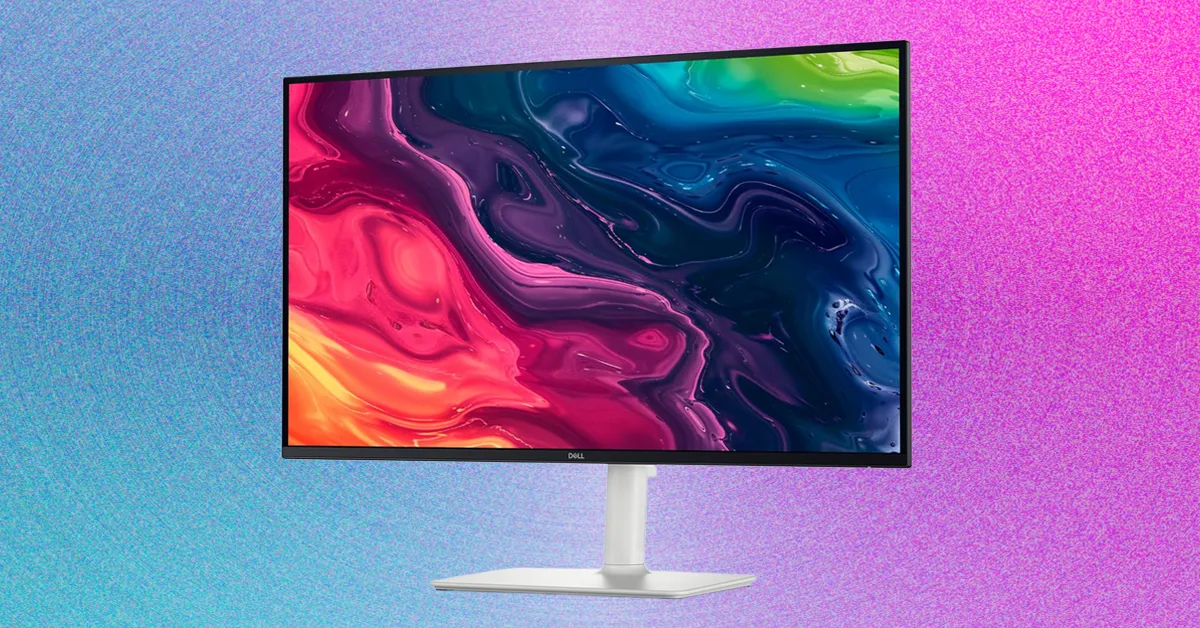
For this guide, I consider any monitor priced below $200 to be a budget display. Although Amazon and Best Buy sell dozens of inexpensive monitors, many older models suffer from poor color accuracy, low brightness, or outdated features. The Dell 27 Plus stood out in testing because it combines an affordable $150 price with excellent 1080p image quality, strong brightness, and impressive color performance.
Its standout feature is a 144Hz refresh rate. Scrolling, animations, and compatible games look noticeably smoother than they do on a standard 60Hz monitor, giving the Dell 27 Plus a more premium feel. It also includes useful adjustment options and an integrated VESA mount. Despite its Full HD resolution, the monitor does not feel cheap once it is set up on a desk.
If your budget is closer to $100, the MSI Pro MP243W E14 is a strong alternative. It produced a peak brightness of 359 nits in testing and offered surprisingly accurate, well-saturated colors. Its 144Hz refresh rate also makes it suitable for entry-level gaming. The slim bezels and white exterior add a stylish touch, but the monitor has limited ports, minimal adjustability, and only a 24-inch screen.
The upgraded MSI Pro MP273QW E14 is worth considering if you want a larger, sharper display. It increases the resolution to 2560 x 1440 and uses a more versatile 27-inch panel. Although it lacks some adjustment features, it delivers excellent overall image quality for the price.
Premium Monitors for Faster Performance and Professional Work
The Dell 32 Plus 4K QD-OLED is one of the most impressive monitors I have tested in recent years. It brings OLED image quality, strong HDR performance, and a 120Hz refresh rate to a wider audience. The display is particularly well suited to content creators who need accurate colors and excellent contrast, while its fast response time also makes it a capable gaming monitor.
The monitor includes a useful selection of ports and produces the deep blacks and vibrant highlights associated with QD-OLED technology. Although this guide focuses on general-purpose displays rather than dedicated gaming monitors, the Dell 32 Plus performs well for gaming when you are not working or creating content.
For professional HDR video production, the Apple Studio Display XDR remains a more advanced option. Its 27-inch 5K Mini-LED panel uses 2,304 local-dimming zones and reached a peak HDR brightness of 1,905 nits in testing with a 25 percent test window. By comparison, the Dell 32 Plus reached 946 nits in a 1 percent window. That difference can produce noticeably better highlight detail, contrast, and perceived brightness during HDR editing.
However, the Apple display is smaller, leaving room for a larger professional monitor that does not sacrifice sharpness. That is where the LG UltraFine Evo 6K becomes especially interesting.
With a pixel density of 224 pixels per inch, the LG UltraFine Evo 6K is among the sharpest large-screen monitors available. Its appeal goes beyond resolution: the monitor has a premium design, an elegant stand inspired by Apple’s displays, and a pair of powerful built-in speakers. It is an excellent choice for Mac users, photographers, video editors, and anyone who wants an exceptionally detailed desktop display.
Unlike many monitors in this roundup, the LG UltraFine Evo 6K has speakers good enough that you may not need a separate set for everyday use. It is not flawless, however. The ports are difficult to reach, cable management is missing, and the stand offers less height adjustment than expected. The refresh rate is also limited to 60Hz.
Price is another consideration. The monitor originally launched at $2,000, putting it firmly in the premium category. The Asus ProArt 6K (PA32QCV) is the LG’s closest competitor and one of the few other 6K monitors available.
The price gap between the two models has narrowed, and both offer excellent image quality. I prefer the LG for its design, built-in speakers, and more capable connectivity. The Asus ProArt 6K counters with a longer three-year warranty and, in some cases, a lower price. Either model delivers exceptional sharpness for a 32-inch monitor.
Smart monitors are another category worth considering if you want a display that works more like a television. Samsung and LG lead this space, and the Samsung M9 Smart Monitor is one of the most versatile options I have tested.
The Samsung M9 combines a 4K OLED panel with built-in smart TV features, making it suitable for office work, console gaming, and streaming movies. It includes a remote control, free live TV channels, and an HDMI 2.1 port for modern game consoles. The OLED panel is the main attraction, delivering rich contrast and vibrant colors without compromising the convenience of a smart TV.
For a more unusual setup, I also tested Samsung’s non-OLED smart monitor with the Movingstyle Rolling Monitor Stand. It is a specialized combination, but it can be useful in homes where a screen needs to move between rooms. Rather than keeping a television permanently mounted in one location, the rolling stand lets you position the display wherever it is needed.
Source: www.wired.com