



Microsoft Tests Faster Windows 11 File Explorer and Customizable Context Menus
Microsoft is testing a faster Windows 11 File Explorer and redesigned, more organized context menus in preview builds now available to Windows Insiders.
According to the Windows File Explorer team, the updates focus on improving speed, performance, and reliability while addressing feedback and issues reported by Windows 11 users.
The redesigned right-click menu is also intended to be faster, less cluttered, and easier to customize.

Microsoft has added a new Customize Menu shortcut at the bottom of the Windows 11 context menu. Selecting it takes users to Settings, where they can choose which options appear in their right-click menus.
“We’ve continued to improve File Explorer based on that feedback, improving details that help remove friction and make everyday tasks more natural and predictable. For example, filename changes are no longer interrupted by background file sync, and case-only filename changes now appear immediately,” Microsoft said.
Microsoft also described the updated context menu as a faster and simpler experience. The new design reduces clutter at the top level, makes frequently used actions easier to access, and gives users more control over the commands displayed in File Explorer menus.
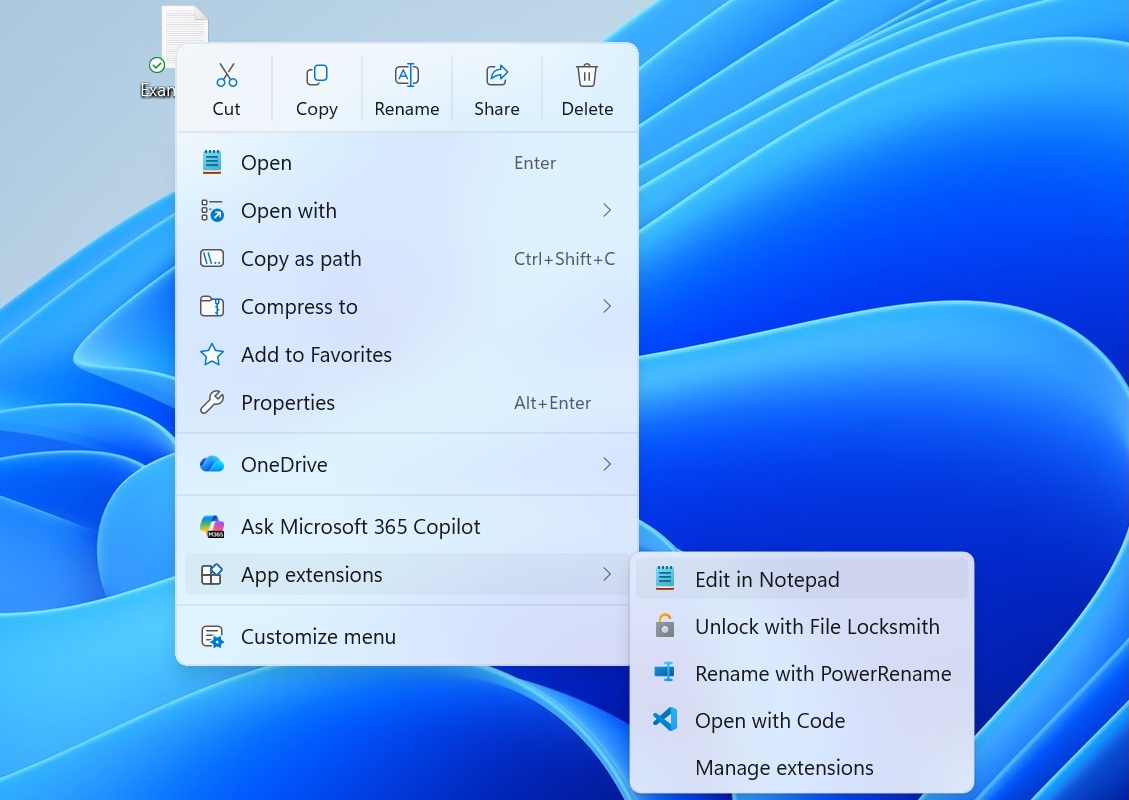
The latest changes are part of Microsoft’s broader effort to improve Windows 11 File Explorer performance. The company introduced another set of File Explorer improvements in April as it continues working to make everyday file management faster and more responsive.
Microsoft also began testing a feature in November that preloads File Explorer in the background to reduce startup times and improve performance.
File Explorer preloading is optional. Users who want to disable the feature can open File Explorer Options, select the View tab, and clear the checkbox labeled Enable preloading of windows to speed up startup time.
These File Explorer updates follow Microsoft’s May 2025 rollout of Startup Boost. The optional feature uses scheduled tasks that run in the background during Windows sign-in to help Microsoft Office applications launch more quickly.
Microsoft also announced Monday that it plans to remove the Windows Management Instrumentation Command-Line, or WMIC, tool. The well-known living-off-the-land binary has been abused by cybercriminals and has been present in Windows 11 24H2, Windows 11 25H2, and beta builds released this week.

Overall prevention scores can hide what happens after an attacker gains initial access. If cybercriminals use valid credentials, an organization’s defenses can weaken significantly.
Blue Report 2026 evaluates defensive techniques across different technologies using 338 million simulations conducted in customer production environments.
Source: www.bleepingcomputer.com