


I have tested laptops for more than a decade, sometimes reviewing over 30 models in a single year. While many devices fail to deliver on their marketing promises, a select few offer the performance, battery life, design, and value needed for long-term use. These are the best laptops I have personally tested and recommend for different budgets and needs.
For more buying advice, explore my guides to the best MacBooks, best gaming laptops, best Chromebooks, best budget laptops, best Windows laptops, and best 2-in-1 laptops. My guide to choosing a laptop can also help if you are unsure which specifications and features matter most.
Updated August 2026: Updated recommendations following testing of the Dell XPS 13, Alienware 15 gaming laptop, and Lenovo LOQ 15 Essential.
The best laptops I recommend
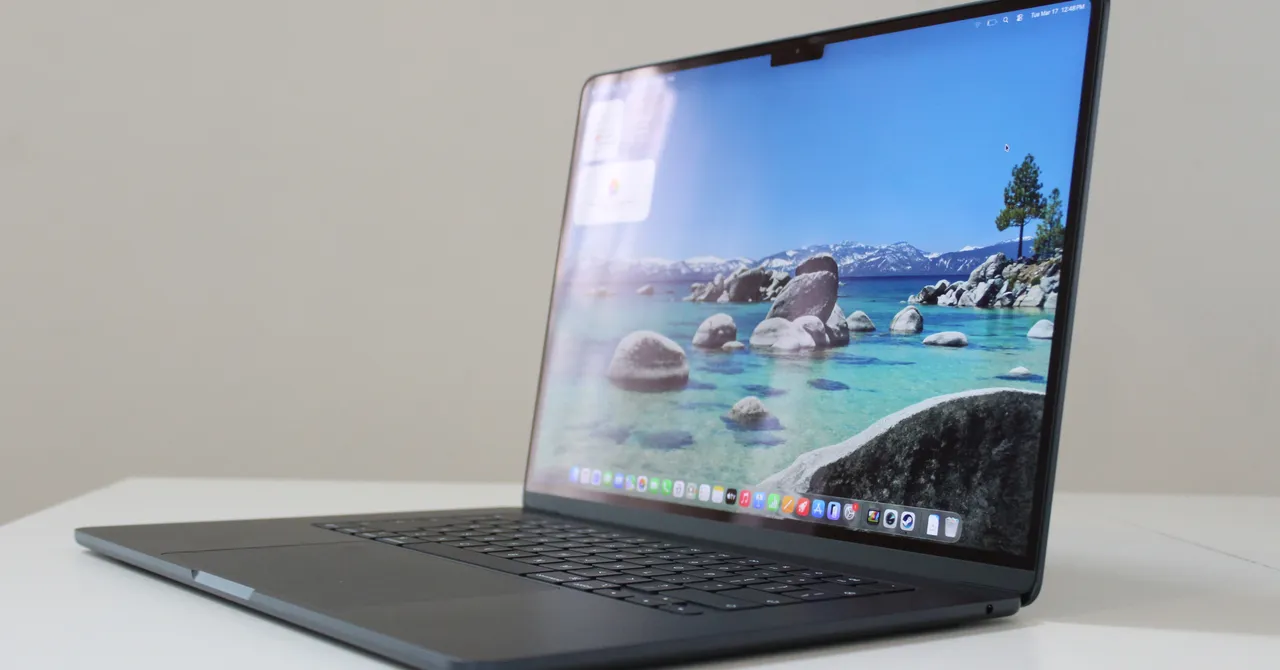
When friends and family ask which laptop to buy, I usually recommend the MacBook Air first. Its compact, fanless design hides impressive performance, excellent speakers, a responsive trackpad, and outstanding battery life. Although Apple recently raised the starting price from $1,099 to $1,299, the MacBook Air remains the best laptop for most people.
The latest M5 chip provides enough power for everyday productivity, photo editing, video work, and even some gaming. Its graphics performance is comparable to that of the M3 Pro MacBook Pro, although the Air is not designed to replace a professional workstation. With all-day battery life and consistent performance whether plugged in or running on battery, it remains one of the best laptops for students, professionals, and home users.
Apple’s new MacBook Neo is less expensive, but the MacBook Air is a better option for people who use their computer throughout the day. More memory, faster storage, Thunderbolt connectivity, and stronger overall performance make it a more dependable long-term investment. Most users do not need to upgrade to a MacBook Pro unless they already know they require professional-level processing power.
The Dell XPS 13 is another excellent choice, particularly for shoppers looking for a premium Windows laptop under $1,000. The entry-level model starts at $699, but its 8 GB of RAM can restrict performance. I recommend the $899 version with 16 GB of RAM instead. Both configurations feature a bright, sharp, color-accurate display with a smooth 120-Hz refresh rate.
The Dell XPS 13 is not a gaming laptop, but its Intel Wildcat Lake processor handles everyday work efficiently and delivers excellent battery life. Its compact size and slim bezels make it especially comfortable to use while traveling or working on an airplane. Apart from the limited memory in the base model and the lack of a headphone jack, this is one of the best Windows laptops available for less than $1,000.
For shoppers who want a high-end Windows laptop, the HP OmniBook Ultra 14 combines premium design with strong performance. Its thin, durable chassis, large tactile trackpad, polished metal edges, and three Thunderbolt 4 ports give it a refined feel. The model I tested included a Snapdragon X2 Elite processor, 32 GB of RAM, and a 2,880 x 1,800 OLED display with accurate colors, strong brightness, and excellent HDR performance.
The HP OmniBook Ultra 14 can be expensive at full price, but frequent discounts make it more appealing. Intel-powered configurations are also worth considering because they offer efficient performance and strong battery life. For most buyers, the best value will be the least expensive configuration that includes enough memory and storage for their workload.
If you prefer a larger display, the Lenovo IdeaPad Slim 5x is an excellent alternative to the 15-inch MacBook Air. It costs considerably less and is available with a 2,560 x 1,600 OLED display and a 165-Hz refresh rate. Although it is slightly thicker than the MacBook Air, it includes useful ports such as HDMI, USB-A, and an SD card reader. The Snapdragon X2 Plus processor cannot match the M5 chip, but it provides reliable everyday performance and impressive battery life.
The best affordable laptops
For most shoppers, an affordable laptop costs less than $750. Windows laptops offer particularly strong value in this category, with modern Qualcomm and Intel processors delivering solid performance and battery life. The most impressive budget model I tested is the HP OmniBook 5, which includes a Snapdragon X processor, 16 GB of RAM, 512 GB of storage, and a 14-inch OLED display.
Prices change frequently, but the HP OmniBook 5 can sometimes be found for around $650 directly from HP. That combination of memory, storage, display quality, and battery life makes it one of the best budget laptops available. Its main weakness is the touchpad, which feels less refined than those on more expensive laptops.
The HP OmniBook 3 uses the same processor and is often available for roughly $100 less. It is a practical alternative for shoppers on a strict budget, but the OmniBook 5 has a thinner design and a more modern appearance. Neither model has an especially impressive touchpad, so choose the OmniBook 5 if the price difference fits your budget.
The MacBook Neo is Apple’s new entry-level laptop. Its price recently increased from $599 to $699, or $799 for the 512-GB model, but it still offers an excellent display and a premium design for the money. The screen, keyboard, and build quality give it a more expensive feel than most laptops in this price range.
However, the MacBook Neo has only 8 GB of RAM, older ports, and a slower SSD. Those limitations make the MacBook Air a better choice for remote workers and demanding users. The Neo remains a compelling option for students, travelers, and casual users who want an affordable macOS laptop with a high-quality display.
The Lenovo Chromebook Plus 14 is one of the most premium Chromebooks available, offering an OLED display, 16 GB of RAM, and excellent battery life. However, its price has climbed to around $849, which makes it difficult to recommend when capable Windows laptops are available for less.
Instead, I recommend the Acer Chromebook Plus 516. It is one of the best cheap Chromebooks, with a spacious 16-inch display, a reliable touchpad, and enough performance for browsing, streaming, schoolwork, and everyday productivity. The display is not as sharp as those on premium Chromebooks, but prices can fall as low as $349, making it a strong choice under $500.
I generally recommend spending no more than $500 on a Chromebook. Once the price approaches that of an entry-level Windows laptop, the HP OmniBook models above often provide better performance, broader software compatibility, and more long-term flexibility.
The best high-performance laptops
The laptops above are powerful enough for most people, but professional creators, engineers, developers, and serious gamers may need significantly more performance. For demanding creative workflows, the 16-inch MacBook Pro with the M5 Max chip is my top recommendation. It combines exceptional processing power, advanced graphics performance, long battery life, and a relatively portable design.
The M5 generation delivers major improvements in GPU performance, neural processing, memory bandwidth, and on-device artificial intelligence. The MacBook Pro is among the most capable AI laptops available, but its high price means it is best suited to professionals who regularly use demanding applications such as video editing, 3D rendering, software development, and machine learning.
Windows alternatives include the Asus ProArt P16 and Lenovo Yoga Pro 9i. Both offer strong performance, but their discrete graphics cards require more power and produce more heat, which can reduce battery life. The Dell XPS 14 takes a different approach by using Intel’s newer X7 or X9 graphics instead of a traditional discrete GPU. It delivers performance comparable to an RTX 4050 while maintaining a premium design and improved efficiency.
For gaming, a dedicated gaming laptop is the better choice if you regularly play graphically demanding titles. After testing dozens of models, my current recommendation is the Alienware 15. It starts at about $1,200 with an RTX 5050 GPU and costs around $1,350 with the upgraded RTX 5060, making it one of the best gaming laptop deals available.
The Alienware 15 delivers good gaming performance and stands out with its sturdy chassis and distinctive design. Many gaming laptops at this price look bulky or poorly constructed, while the Alienware 15 feels more polished. Its biggest weakness is the display, which has noticeably muted colors and a desaturated appearance.
The Lenovo LOQ 15 with an RTX 5060 has also been one of my favorite affordable gaming laptops. It offers strong performance without requiring the major compromises common among budget gaming machines. Its display is significantly better than the Alienware 15’s, although recent price increases have reduced its value. If you can justify the extra cost, the Lenovo LOQ 15’s superior screen makes it worth considering.
For a more portable and premium gaming laptop, consider the Razer Blade 14 or Razer Blade 16. Both feature minimalist designs, high-quality construction, and enough performance for modern games. Their slim profiles make them suitable for school, work, and travel, unlike many traditional gaming laptops. They are expensive, but few Windows gaming laptops match the Razer Blade’s combination of portability, performance, and design.
Source: www.wired.com