


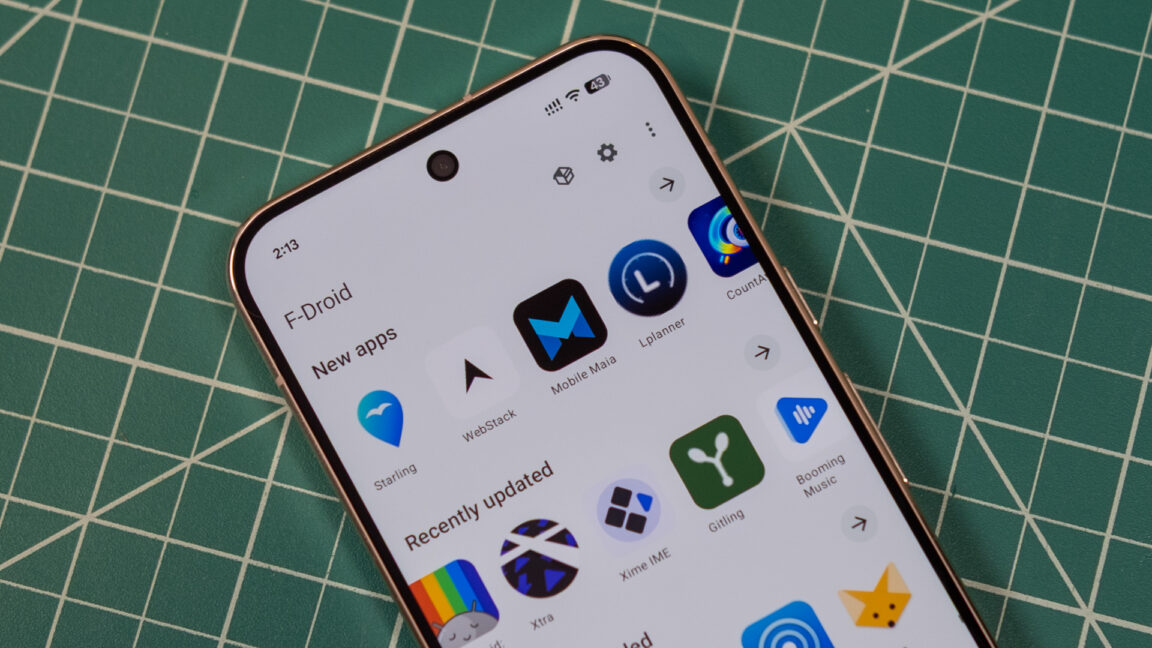
F-Droid 2.0 Arrives With a Modern Redesign and Easier Android App Installs
Virtually all Android devices come with the Google Play Store preinstalled, but users have other options for finding and installing apps. F-Droid, a community-driven source of free and open-source Android apps, has released F-Droid 2.0 after years of development.
The update marks a major change for F-Droid’s official app store, which had not received a significant update in roughly a decade. The team says F-Droid 2.0 is now being deployed.
A redesigned F-Droid app built with Kotlin Compose
F-Droid 2.0 has been redesigned from the ground up using Kotlin Compose, the standard for modern Android apps. The new foundation makes the store more responsive and adds optional support for Android’s Material theme.
The interface has also been streamlined. Key features are easier to access, while less frequently used options have been moved into overflow menus.
Improved app discovery without tracking
Although the new F-Droid looks cleaner, the main goal of the update is to make open-source Android apps easier to find and install. When F-Droid first launched, its catalog was relatively small. It now includes thousands of open-source apps.
Unlike the Play Store, F-Droid does not track users’ taps or installations to deliver advertisements or personalized suggestions. Instead, it focuses on helping users find apps without getting in the way.
F-Droid offers numerous categories, including specialized sections for firewalls, password managers, and VPNs. These categories are available in the search tab, while the main Discover page highlights broader groupings.
Search is also becoming more useful. F-Droid 2.0 can return results based on an app’s description, rather than relying only on the app’s name.
F-Droid 2.0 makes sideloading easier
After finding an app, users can install it more easily with F-Droid 2.0. Google has long added safeguards around sideloading because of the security risks involved. Those concerns also underpin the company’s upcoming developer authentication system.
For now, F-Droid can use Google’s pre-approval API to simplify the installation process. Instead of downloading an APK, opening it manually, and encountering a sideloading warning, users can first confirm that they want to install the app.
From there, tap Install in F-Droid and then tap Install again in the system prompt. That is one additional tap compared with installing an app through the Play Store, but it is still a notable improvement for F-Droid users.
Source: arstechnica.com