



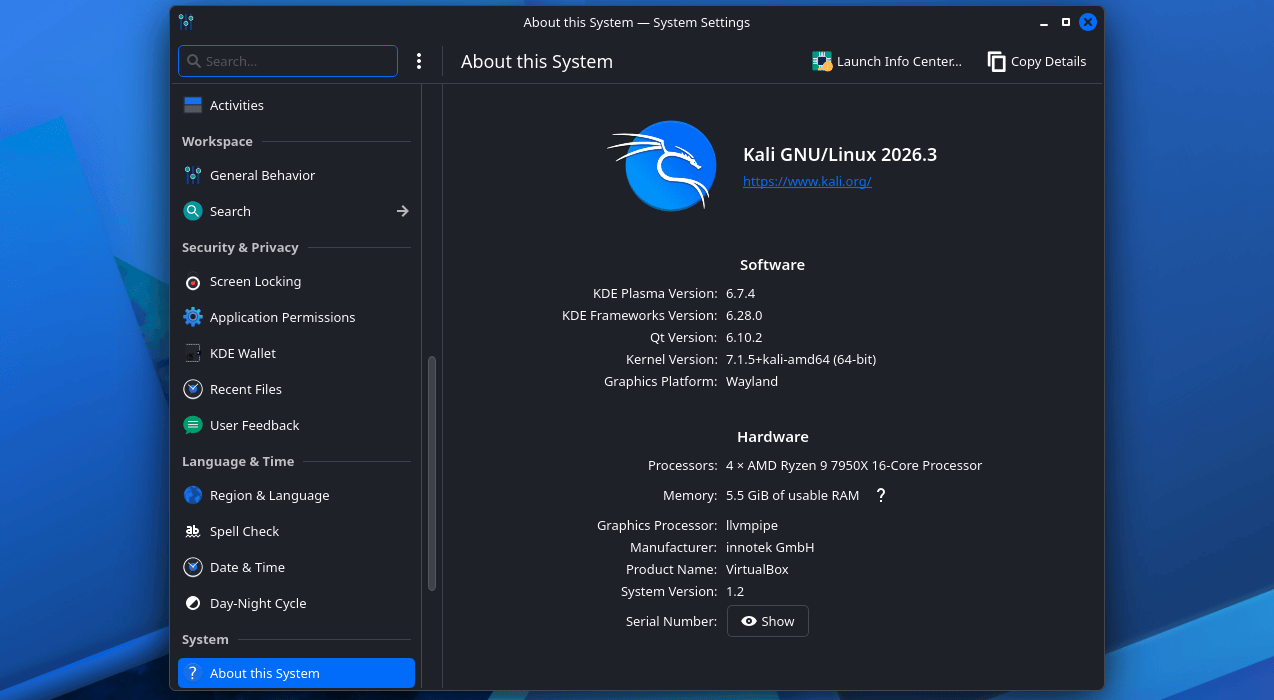
Kali Linux 2026.3, the distribution’s third release of the year, adds six security tools, updates 126 packages, upgrades the kernel from 6.19 to 7.1.5, and introduces improvements to its desktop environment and image-building process. The release is available as an installable operating system or a live environment, with support for hardware ranging from standard PCs and Raspberry Pi devices to Android smartphones through Kali NetHunter.
Kali is designed for ethical hackers and cybersecurity professionals conducting red-team exercises, penetration tests, security assessments, and network investigations.
Six new tools in Kali Linux 2026.3
Alongside the package and kernel updates, Kali Linux 2026.3 adds six tools:
- dalfox — An open-source XSS scanner and toolkit focused on automation.
- katana — A next-generation crawling and spidering framework.
- qsreplace — Accepts a URL from standard input and replaces all query-string values with user-specified values.
- rustscan — A port scanner.
- sdrangel — A Qt-based software-defined radio frontend for various devices.
- snaffler-ng — A scanner for SMB-shared credentials and sensitive data.
Desktop environment updates
Kali Linux 2026.3 updates the desktop environment with KDE Plasma 6.7 and a new set of icons.
KDE Plasma 6.7 includes performance and power-consumption improvements for integrated Intel graphics, along with workflow optimizations. The release also adds per-screen virtual desktops, allowing users to create separate workspaces for a web browser, terminal, and documents on the same desktop.
“Moving between these desktops is also faster from the get-go, and additional Wayland protocol and portal support continue to improve the experience on modern Linux setups,” a Kali developer explains.
Users can also duplicate network connections, which is intended to save time when working with multiple similar network configurations. Kali says it has further improved the System Monitor.
Updated build scripts
The release updates the build scripts used to create official Kali images. The scripts now support Docker and Podman containers and provide greater consistency across platforms.
The Kali Linux 2026.3 announcement says, “We have brought consistency to build scripts across platforms. Each platform now has the same functionality, command line arguments, structure and layout (where possible), and the same look and feel.”
Container-based builds are now supported through both Docker and Podman. Each updated build script includes a build-in-container.sh file that detects the container engine in use, creates a build container, and runs the build inside it.
Not all build scripts were updated before the release of Kali Linux 2026.3. The team aims to update the remaining scripts for Kali 2026.4 and plans to automate builds and workflows in later stages of the project.
How to get Kali Linux 2026.3
Existing Kali Linux installations can be upgraded to the latest release. New users can choose a platform or download an ISO image directly for a new installation or live environment.
To upgrade an existing installation, run:
echo "deb  kali-rolling main contrib non-free non-free-firmware" | sudo tee /etc/apt/sources.list
sudo apt update && sudo apt -y full-upgrade
cp -vrbi /etc/skel/. ~/
[ -f /var/run/reboot-required ] && sudo reboot -f
Users running Kali through Windows Subsystem for Linux should upgrade to WSL 2 for better support for graphical applications. To check the WSL version, run the following command at a Windows command prompt:
wsl -l -vAfter upgrading, users can verify the installed version with:
grep VERSION /etc/os-releaseThe complete changelog for Kali Linux 2026.3 is available on Kali’s website.
Source: www.bleepingcomputer.com