



Microsoft PowerToys adds Window Hopper for faster app window switching
Microsoft has released a new version of its Windows PowerToys utility suite featuring Window Hopper, a tool designed to help users switch between windows belonging to the same application more quickly.
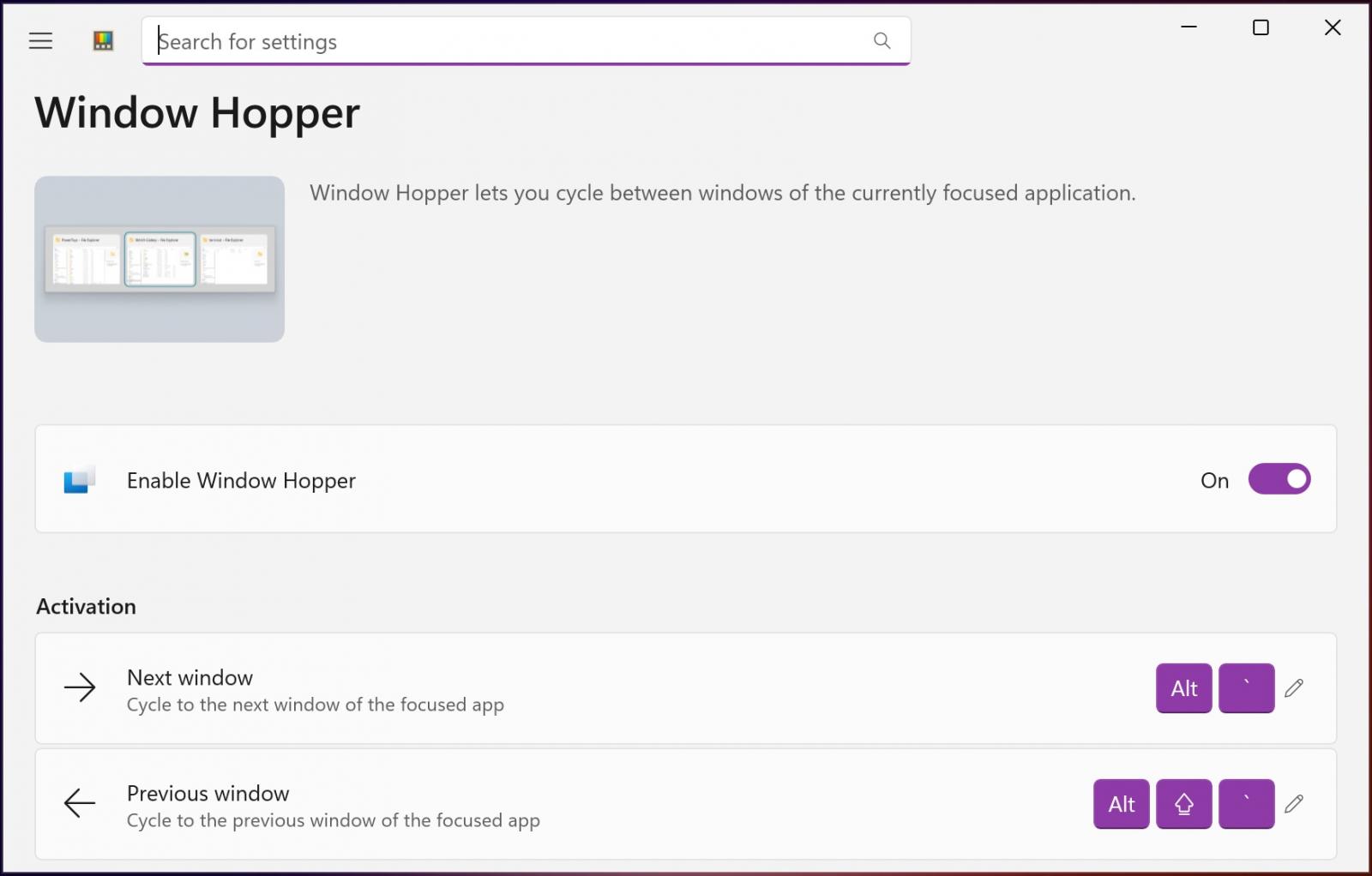
Window Hopper works similarly to the standard Windows Alt+Tab feature, but limits the window switcher to the currently active application. This allows users to move between multiple windows without cycling through every open app on the desktop.
“Once the utility is enabled, you can press the configurable Alt + backtick shortcut to cycle through that app’s windows without stepping through everything else on your desktop,” Microsoft explains.

“This is especially useful when working with multiple browser windows, terminals, file explorer windows, or editor instances.”
Users can customize the default Window Hopper keyboard shortcuts in PowerToys settings. Separate shortcuts are available for switching to the previous or next window associated with the active application.
Window Hopper is included in PowerToys version 0.101.2362.0, which Microsoft released alongside several other updates. The release adds a compact mode to the Command Palette Quick Launcher, allowing it to open as a search box at a configurable vertical position on the screen.
The latest PowerToys update also improves support for controls connected to PowerDisplay. Users can now adjust the brightness of all connected displays simultaneously and activate shortcut guides using the Windows key in PowerToys tools. Microsoft introduced related display and keyboard shortcut improvements in June.
Other changes include DemoMirror, a new ZoomIt feature that mirrors a selected area, window, or entire desktop to a second monitor. The release also adds a ripple mode to the Mouse Highlighter, creating compositing-based visual effects when users click.
In January, Microsoft released PowerToys 0.97 with CursorWrap. The utility is designed for multi-monitor setups and “teleports” the mouse pointer to the opposite edge of the active display, making it easier to move the cursor across large screens.
Microsoft PowerToys is available from the official GitHub repository, which also includes detailed changelogs for each release.
PowerToys originated during the Windows 95 era as a collection of small freeware utilities created by Microsoft developers. In 2019, Microsoft revived the project as an open-source utility suite designed to extend Windows functionality and simplify tasks that previously required third-party software.

The overall prevention score can hide what happens after the initial access. If an attacker uses valid credentials, your defenses drop sharply.
Blue Report 2026 measures defense techniques by technology across 338 million simulations run in customer production environments.
Source: www.bleepingcomputer.com